How Much Does a WordPress Website Cost in the USA? 2026 Guide
If you’re planning to build a website for your business, one of the first questions you’ll probably ask is:
How much does a WordPress website cost?
The answer isn’t as simple as choosing a fixed price from a menu.
A basic WordPress website for a small business might cost a few hundred dollars when built using a ready-made theme and minimal customization. A professionally designed business website can cost several thousand dollars, while a custom WordPress website with advanced functionality, integrations, ecommerce features, or complex development can cost significantly more.
For businesses in the USA, understanding WordPress pricing means looking beyond the initial development quote.
You also need to consider hosting, domain registration, themes, plugins, design, SEO, security, maintenance, content, integrations, and ongoing support.
In this guide, we’ll explain the typical WordPress website cost in the USA, what affects the price, what you should expect at different budget levels, and how to choose the right development approach for your business.
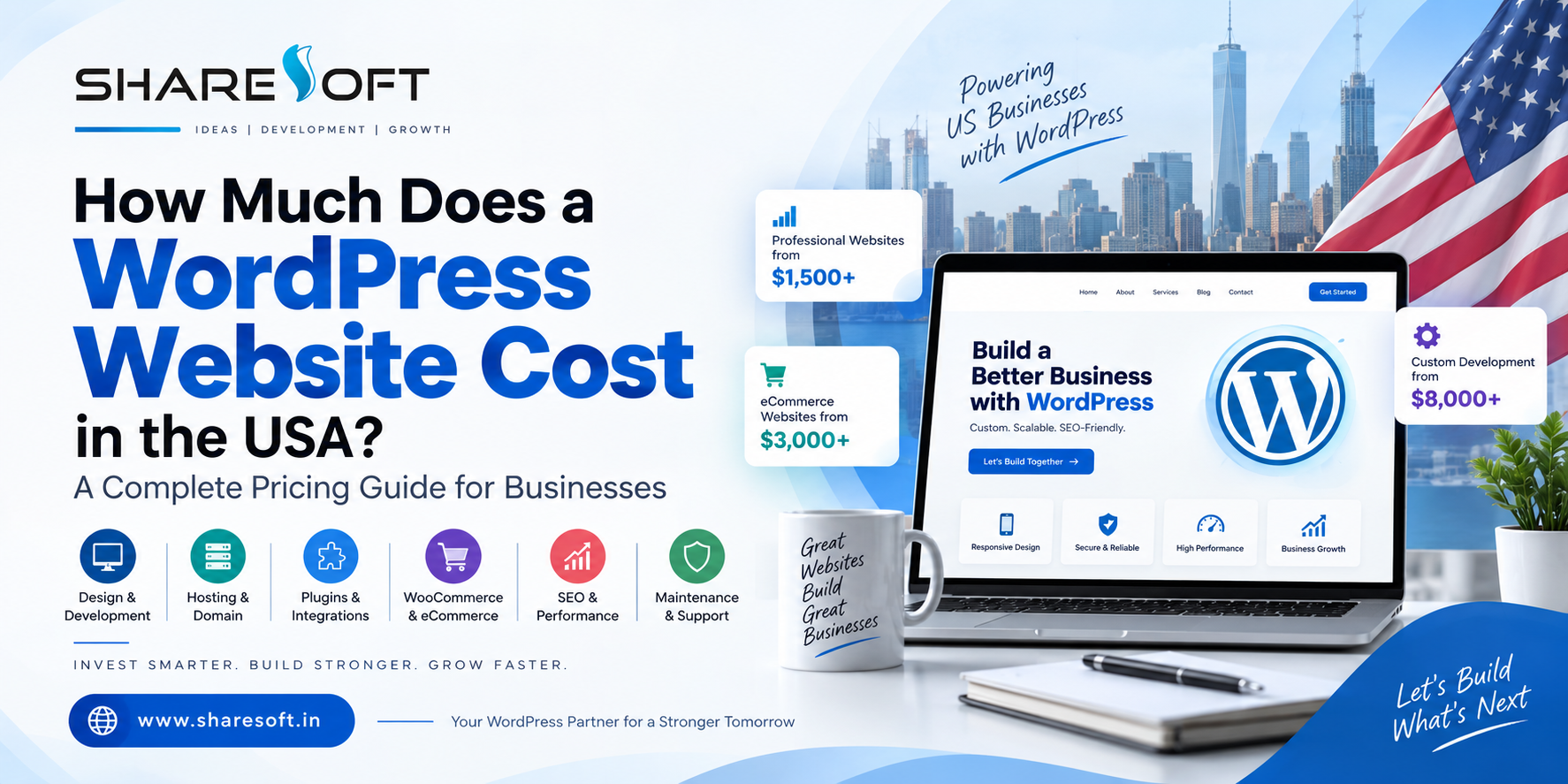
WordPress Website Cost in the USA: Quick Answer
For most businesses, a professionally developed WordPress website can fall into several broad pricing categories:
Website Type Typical Investment
Basic WordPress website $500 – $1,500+
Small business website $1,500 – $4,000+
Professional custom website $3,000 – $8,000+
Advanced business website $5,000 – $15,000+
WooCommerce website $3,000 – $15,000+
Custom WordPress development $8,000 – $25,000+
Complex enterprise website $15,000 – $50,000+
These are general market ranges rather than fixed prices. The actual cost depends on the website’s design, functionality, number of pages, integrations, content requirements, development approach, and ongoing requirements.
The important question isn’t simply:
“How much does WordPress cost?”
It’s:
“What does my business actually need from its website?”
What Is WordPress?
WordPress is a popular content management system (CMS) used to create websites ranging from simple blogs and portfolios to business websites, online stores, membership platforms, and large content-driven websites.
Because WordPress is flexible, there isn’t one standard WordPress pricing model for building a website.
Two businesses could both say they need a “WordPress website” while having completely different requirements.
For example:
A local plumbing company may need:
10–15 service pages
Location pages
Contact forms
Click-to-call functionality
Google Maps integration
Reviews
SEO optimization
Fast mobile performance
An ecommerce business may need:
Hundreds of products
Product filters
Shopping cart
Payment gateways
Shipping integrations
Customer accounts
Inventory management
Automated emails
Naturally, these websites won’t have the same development cost.
What Makes Up the Cost of a WordPress Website?
Your total WordPress website cost usually consists of several different components.
1. Domain Name
Your domain is your website’s address, such as:
yourbusiness.com
A domain generally requires an annual registration fee.
Premium domains can cost considerably more depending on their availability and demand.
2. WordPress Hosting
Your website needs a server where its files and database are stored.
WordPress hosting can range from inexpensive shared hosting to premium managed hosting and dedicated infrastructure.
Your choice depends on:
Website traffic
Performance requirements
Security
Storage
Server resources
Backup requirements
Scalability
Technical support
A small business website usually doesn’t need enterprise-level infrastructure from day one.
However, choosing extremely cheap hosting can create performance and security problems later.
3. Website Design
Design is one of the biggest factors affecting WordPress pricing.
You could use:
A free WordPress theme
A premium WordPress theme
A customized existing theme
A professionally designed theme
A completely custom design
A template-based website can reduce development time.
A custom-designed website takes more planning and development but gives your business much greater control over:
Branding
User experience
Page layouts
Conversion elements
Mobile experience
Navigation
Performance
Scalability
For businesses competing in the US market, professional design can be particularly important because your website is often the first major interaction a potential customer has with your company.
4. WordPress Themes
WordPress themes determine much of the visual structure of your website.
You can find thousands of WordPress themes ranging from free options to premium commercial themes.
A theme can reduce initial development costs, but choosing one simply because it is cheap isn’t always the best strategy.
Some themes include excessive features, unnecessary scripts, or complicated page builders that can affect:
Website speed
Maintenance
Security
SEO
Future customization
A professional WordPress developer can help determine whether an existing theme is appropriate or whether your project would benefit from custom development.
5. WordPress Plugins
Plugins add functionality to a WordPress website.
Common requirements include:
Contact forms
SEO
Security
Caching
Backup
Analytics
Ecommerce
Membership
CRM integration
Email marketing
Social media integration
There are thousands of WordPress plugins, including both free and premium options.
However, adding plugins isn’t always the answer.
Installing too many plugins can increase maintenance requirements and may create compatibility, performance, or security issues.
For more advanced requirements, custom WordPress development may be a better solution than relying on multiple third-party plugins.
6. Website Content
Content is sometimes overlooked when calculating the cost of a WordPress website.
You may need:
Website copy
Service descriptions
Product descriptions
Blog articles
Images
Videos
Case studies
FAQs
Location pages
If your developer is responsible only for development, content creation may be a separate expense.
A professional website needs more than attractive pages. It needs content that explains what you offer and gives visitors a reason to contact you.
7. Search Engine Optimization
A website that looks good but cannot be found in search results may not generate the business results you expect.
That’s why WordPress SEO should be considered during development rather than treated as an afterthought.
SEO-related development may include:
Clean URL structures
Mobile responsiveness
Page speed optimization
Schema implementation
XML sitemap configuration
Metadata
Heading structure
Internal linking
Image optimization
Technical SEO
Search-friendly content structure
If your website is being built specifically to generate organic traffic, SEO should be included in the project from the beginning.
How Much Does a Basic WordPress Website Cost?
A basic WordPress website is generally suitable for businesses that need a simple online presence.
It might include:
Homepage
About page
Services page
Contact page
Basic blog
Contact form
Responsive design
A basic website may use a pre-built theme with limited customization.
Typical investment: $500 – $1,500+
This approach can work for startups and very small businesses with straightforward requirements.
However, the cheapest option isn’t necessarily the best option if your website will become an important source of leads.
How Much Does a Small Business WordPress Website Cost?
A professional small business website usually requires more customization.
For example, a US service business might need:
Custom homepage
Service pages
Location pages
Professional branding
Lead-generation forms
Call-to-action sections
Reviews and testimonials
Google Maps
Analytics
SEO setup
Speed optimization
Security configuration
Typical investment: $1,500 – $4,000+
The actual price depends on the number of pages and complexity of the project.
For businesses where the website directly generates leads, investing in professional design and development can provide much more value than simply purchasing a cheap template website.
How Much Does a Custom WordPress Website Cost?
Custom WordPress development is generally more expensive because the website is built around your business requirements instead of forcing your business into a pre-existing template.
Custom development may involve:
Custom UI/UX
Custom WordPress themes
Custom functionality
API integrations
CRM integration
Third-party services
Advanced forms
Custom dashboards
Membership functionality
Advanced search
Custom post types
Performance optimization
Typical investment: $3,000 – $15,000+
Complex projects can go beyond this range.
The biggest advantage is flexibility.
Instead of asking:
“Can WordPress do this with a plugin?”
your development team can ask:
“What is the best way to build this functionality for the business?”
How Much Does WooCommerce Cost?
If you’re planning to sell products online, WooCommerce is one of the most popular options for building an ecommerce website with WordPress.
However, WooCommerce pricing isn’t simply the cost of installing WooCommerce.
An ecommerce website may require:
Product setup
Product categories
Shopping cart
Checkout
Payment gateway
Shipping configuration
Tax configuration
Customer accounts
Inventory management
Order management
Email notifications
Security
Performance optimization
Analytics
Marketing integrations
Typical WooCommerce development investment: $3,000 – $15,000+
A small online store can cost considerably less, while a large ecommerce platform with custom integrations can require a significantly larger development budget.
WordPress Pricing: Template vs Custom Development
One of the most important decisions you’ll make is whether to use an existing template or invest in custom development.
Factor Template Website Custom WordPress Website
Initial cost Lower Higher
Development time Faster Longer
Customization Limited to moderate Extensive
Branding Moderate Strong
Scalability Depends on theme High
Performance control Moderate Greater
Unique functionality Limited Excellent
Long-term flexibility Moderate High
Neither option is automatically right for every business.
A startup with a limited budget may be perfectly comfortable with a professionally customized theme.
A growing company that depends heavily on its website may benefit from custom WordPress development.
What Is the Difference Between a Cheap WordPress Website and a Professional One?
Two websites may look similar at first glance while being completely different underneath.
A low-cost website may focus primarily on getting pages online.
A professional WordPress website should consider:
Performance
Pages should load quickly across desktop and mobile devices.
Security
The website should be configured with appropriate security measures, updates, backups, and access controls.
SEO
The technical structure should provide a strong foundation for search visibility.
User Experience
Visitors should quickly understand:
What you offer
Who you serve
Why they should trust you
What they should do next
Scalability
The website should be capable of growing with the business.
That’s why comparing WordPress developers purely on price can be misleading.
WordPress Website Cost by Business Type
Different businesses have different requirements.
Local Service Businesses
Examples include:
Plumbers
Electricians
HVAC companies
Roofing companies
Law firms
Consultants
Contractors
These businesses typically need strong lead-generation websites rather than complex applications.
A professionally developed website might include service pages, location targeting, forms, reviews, calls to action, SEO, and analytics.
Professional Services
Professional firms may require:
Corporate branding
Service pages
Team profiles
Case studies
Resources
Blog
Lead forms
Appointment integration
The design usually needs to communicate credibility and expertise.
Ecommerce Businesses
Online stores typically require more development because transactions take place directly through the website.
WooCommerce development may include product management, payments, shipping, tax, customer accounts, order processing, and integrations.
B2B Companies
B2B websites may require:
Lead-generation systems
CRM integrations
Quote forms
Resource libraries
Industry pages
Product catalogs
Marketing automation
Advanced analytics
These requirements can increase development costs considerably.
How Much Does a WordPress Developer Cost?
The WordPress developer you choose can also affect your overall project cost.
You may work with:
Freelancers
Small development teams
WordPress agencies
Specialized development companies
Large digital agencies
The cheapest developer isn’t necessarily the most affordable choice in the long term.
A developer who delivers a poorly structured website may create additional expenses for:
Fixes
Redesigns
Plugin conflicts
Security problems
Performance optimization
SEO corrections
Future development
A good WordPress website developer should understand more than WordPress installation.
They should understand how the website supports your business.
Freelancer vs WordPress Development Company
Both options have advantages.
Freelancer
A freelancer may be suitable for:
Small websites
Limited budgets
Simple customization
One-time projects
WordPress Development Company
A professional development company may be more suitable when you need:
Custom development
UI/UX design
WooCommerce
API integrations
SEO
Security
Performance optimization
Ongoing maintenance
Multiple specialists
For businesses planning long-term growth, having an experienced team behind the website can reduce risk.
What Should You Ask Before Accepting a WordPress Quote?
Before choosing a WordPress development company, don’t ask only:
“How much will the website cost?”
Ask what the quote includes.
Important questions include:
Is the design custom or template-based?
How many pages are included?
Is responsive design included?
Is SEO included?
Is website speed optimization included?
Are premium themes or plugins included?
Is content migration included?
Are integrations included?
Is security configuration included?
Is testing included?
Is website maintenance included?
What happens after launch?
Who owns the website and its files?
How are future changes charged?
These questions make it much easier to compare different proposals.
Don’t Choose a WordPress Developer Based Only on Price
Imagine two companies give you these quotes:
Company A: $1,000
Company B: $4,000
At first glance, Company A appears cheaper.
But what if Company A provides:
Template design
Five pages
Basic setup
No SEO
No performance optimization
No integrations
Limited support
while Company B provides:
Custom design
15 pages
Conversion-focused layouts
Technical SEO
Speed optimization
Security configuration
Analytics
Third-party integrations
Post-launch support
The two proposals aren’t really comparable.
The better question is:
What am I getting for the money?
How to Reduce WordPress Website Costs Without Sacrificing Quality
You don’t necessarily need to spend tens of thousands of dollars to get a professional website.
You can control costs by:
Start With Essential Features
Don’t build features nobody will use.
Use a Suitable Theme
A quality theme can be a practical choice when extensive customization isn’t necessary.
Prepare Content Early
Having your content ready can reduce development delays.
Avoid Unnecessary Plugins
Only install plugins that provide genuine business value.
Build in Phases
Advanced functionality can sometimes be introduced later.
Plan SEO From the Beginning
Fixing technical SEO problems after launch can be more expensive than building correctly from the start.
What Should a Business Budget for WordPress?
Instead of choosing a budget based on what another business spent, consider the role your website will play.
If your website is simply an online business card, a relatively small investment may be enough.
If your website is responsible for generating leads, selling products, building your brand, or supporting sales, it deserves a larger investment.
For many US businesses, a professionally developed WordPress website represents a business asset, not simply an expense.
What Does WordPress Maintenance Cost?
Launching your website isn’t the end of the investment.
A WordPress website may require ongoing:
WordPress updates
Plugin updates
Theme updates
Security monitoring
Backups
Performance checks
Broken-link monitoring
Content updates
Technical support
Some businesses handle maintenance internally.
Others choose a professional WordPress maintenance service.
The right approach depends on the complexity and importance of the website.
How Long Does It Take to Build a WordPress Website?
Development time depends heavily on scope.
A simple website might be completed in a few weeks.
A custom business website can take several weeks.
An ecommerce or complex WordPress development project may take several months.
The process can include:
Requirements analysis
Sitemap planning
UI/UX design
WordPress development
Content implementation
Integrations
SEO setup
Testing
Performance optimization
Security checks
Launch
Post-launch support
A rushed project isn’t necessarily a better project.
Is WordPress Still Worth the Investment in 2026?
For many businesses, yes.
WordPress remains attractive because it provides:
Flexible content management
Extensive customization
Large ecosystem of themes and plugins
Ecommerce capabilities through WooCommerce
Strong SEO possibilities
Scalability
Ownership and flexibility
Integration possibilities
The key is how the platform is implemented.
A poorly developed WordPress website can become difficult to maintain.
A well-planned WordPress website can become a powerful long-term business platform.
How Sharesoft Helps Businesses Build WordPress Websites
At Sharesoft Technology, we approach WordPress development around the business requirement rather than simply installing a theme and adding content.
Our WordPress development services can include:
Custom WordPress website design
WordPress theme customization
Custom WordPress development
WordPress plugin development
WooCommerce development
WordPress migration
WordPress maintenance
Performance optimization
Security
SEO-friendly development
Third-party integrations
The goal is to create a website that isn’t just visually attractive but is also designed to support your business objectives.
If you’re comparing WordPress website development companies in the USA, look beyond the initial quote and evaluate experience, technical capabilities, communication, support, and the long-term value of the website.
Learn more about our WordPress Development Services:
Sharesoft WordPress Development Services
Frequently Asked Questions About WordPress Pricing
How much does a WordPress website cost in the USA?
A basic WordPress website can start around $500–$1,500+, while professionally designed business websites commonly require several thousand dollars. Custom and ecommerce projects can cost significantly more depending on their functionality.
How much does WordPress cost per year?
WordPress software itself can be used without a software licensing fee. However, businesses need to budget for domain registration, hosting, premium themes or plugins when required, maintenance, security, backups, and other services.
Is WordPress cheaper than custom website development?
It can be. WordPress provides a flexible foundation and extensive ecosystem that can reduce development time. However, custom WordPress development can still require significant investment when advanced functionality is needed.
How much does WooCommerce cost?
WooCommerce itself doesn't determine the entire ecommerce budget. The overall cost depends on design, products, payment gateways, shipping, integrations, custom functionality, security, and development requirements.
Is it worth paying a WordPress developer?
For businesses that depend on their website for leads, sales, credibility, or growth, professional development can be worthwhile. An experienced developer can help with performance, security, SEO, functionality, scalability, and long-term maintenance.
Can I build a WordPress website myself?
Yes. WordPress makes it possible for individuals and businesses to create websites without advanced programming knowledge. However, professional development may be a better option when your website has complex business, design, SEO, ecommerce, or integration requirements.
How much does custom WordPress development cost?
Custom WordPress development can range from several thousand dollars to tens of thousands depending on the project's complexity, integrations, functionality, design, and development requirements.
Final Thoughts: What Should You Spend on Your WordPress Website?
There is no single answer to “How much does WordPress cost?”
A small business website and a large ecommerce platform have completely different requirements.
Instead of looking for the lowest WordPress pricing, focus on finding the right balance between:
Cost + Quality + Performance + Security + SEO + Scalability + Support
Your website should ultimately justify its investment by helping your business attract visitors, generate leads, build credibility, or generate sales.
If you’re planning a new WordPress website or considering rebuilding an existing one, start by defining your business goals and functionality requirements. Then compare development proposals based on what you’re actually receiving—not simply the number at the bottom of the quote.
Looking for professional WordPress development for your US business?
Explore Sharesoft Technology’s WordPress Development Services
How Much Does a WordPress Website Cost in the USA? 2026 Guide
If you’re planning to build a website for your business, one of the first questions you’ll probably ask is:
How much does a WordPress website cost?
The answer isn’t as simple as choosing a fixed price from a menu.
A basic WordPress website for a small business might cost a few hundred dollars when built using a ready-made theme and minimal customization. A professionally designed business website can cost several thousand dollars, while a custom WordPress website with advanced functionality, integrations, ecommerce features, or complex development can cost significantly more.
For businesses in the USA, understanding WordPress pricing means looking beyond the initial development quote.
You also need to consider hosting, domain registration, themes, plugins, design, SEO, security, maintenance, content, integrations, and ongoing support.
In this guide, we’ll explain the typical WordPress website cost in the USA, what affects the price, what you should expect at different budget levels, and how to choose the right development approach for your business.
WordPress Website Cost in the USA: Quick Answer
For most businesses, a professionally developed WordPress website can fall into several broad pricing categories:
Website Type Typical Investment
Basic WordPress website $500 – $1,500+
Small business website $1,500 – $4,000+
Professional custom website $3,000 – $8,000+
Advanced business website $5,000 – $15,000+
WooCommerce website $3,000 – $15,000+
Custom WordPress development $8,000 – $25,000+
Complex enterprise website $15,000 – $50,000+
These are general market ranges rather than fixed prices. The actual cost depends on the website’s design, functionality, number of pages, integrations, content requirements, development approach, and ongoing requirements.
The important question isn’t simply:
“How much does WordPress cost?”
It’s:
“What does my business actually need from its website?”
What Is WordPress?
WordPress is a popular content management system (CMS) used to create websites ranging from simple blogs and portfolios to business websites, online stores, membership platforms, and large content-driven websites.
Because WordPress is flexible, there isn’t one standard WordPress pricing model for building a website.
Two businesses could both say they need a “WordPress website” while having completely different requirements.
For example:
A local plumbing company may need:
10–15 service pages
Location pages
Contact forms
Click-to-call functionality
Google Maps integration
Reviews
SEO optimization
Fast mobile performance
An ecommerce business may need:
Hundreds of products
Product filters
Shopping cart
Payment gateways
Shipping integrations
Customer accounts
Inventory management
Automated emails
Naturally, these websites won’t have the same development cost.
What Makes Up the Cost of a WordPress Website?
Your total WordPress website cost usually consists of several different components.
1. Domain Name
Your domain is your website’s address, such as:
yourbusiness.com
A domain generally requires an annual registration fee.
Premium domains can cost considerably more depending on their availability and demand.
2. WordPress Hosting
Your website needs a server where its files and database are stored.
WordPress hosting can range from inexpensive shared hosting to premium managed hosting and dedicated infrastructure.
Your choice depends on:
Website traffic
Performance requirements
Security
Storage
Server resources
Backup requirements
Scalability
Technical support
A small business website usually doesn’t need enterprise-level infrastructure from day one.
However, choosing extremely cheap hosting can create performance and security problems later.
3. Website Design
Design is one of the biggest factors affecting WordPress pricing.
You could use:
A free WordPress theme
A premium WordPress theme
A customized existing theme
A professionally designed theme
A completely custom design
A template-based website can reduce development time.
A custom-designed website takes more planning and development but gives your business much greater control over:
Branding
User experience
Page layouts
Conversion elements
Mobile experience
Navigation
Performance
Scalability
For businesses competing in the US market, professional design can be particularly important because your website is often the first major interaction a potential customer has with your company.
4. WordPress Themes
WordPress themes determine much of the visual structure of your website.
You can find thousands of WordPress themes ranging from free options to premium commercial themes.
A theme can reduce initial development costs, but choosing one simply because it is cheap isn’t always the best strategy.
Some themes include excessive features, unnecessary scripts, or complicated page builders that can affect:
Website speed
Maintenance
Security
SEO
Future customization
A professional WordPress developer can help determine whether an existing theme is appropriate or whether your project would benefit from custom development.
5. WordPress Plugins
Plugins add functionality to a WordPress website.
Common requirements include:
Contact forms
SEO
Security
Caching
Backup
Analytics
Ecommerce
Membership
CRM integration
Email marketing
Social media integration
There are thousands of WordPress plugins, including both free and premium options.
However, adding plugins isn’t always the answer.
Installing too many plugins can increase maintenance requirements and may create compatibility, performance, or security issues.
For more advanced requirements, custom WordPress development may be a better solution than relying on multiple third-party plugins.
6. Website Content
Content is sometimes overlooked when calculating the cost of a WordPress website.
You may need:
Website copy
Service descriptions
Product descriptions
Blog articles
Images
Videos
Case studies
FAQs
Location pages
If your developer is responsible only for development, content creation may be a separate expense.
A professional website needs more than attractive pages. It needs content that explains what you offer and gives visitors a reason to contact you.
7. Search Engine Optimization
A website that looks good but cannot be found in search results may not generate the business results you expect.
That’s why WordPress SEO should be considered during development rather than treated as an afterthought.
SEO-related development may include:
Clean URL structures
Mobile responsiveness
Page speed optimization
Schema implementation
XML sitemap configuration
Metadata
Heading structure
Internal linking
Image optimization
Technical SEO
Search-friendly content structure
If your website is being built specifically to generate organic traffic, SEO should be included in the project from the beginning.
How Much Does a Basic WordPress Website Cost?
A basic WordPress website is generally suitable for businesses that need a simple online presence.
It might include:
Homepage
About page
Services page
Contact page
Basic blog
Contact form
Responsive design
A basic website may use a pre-built theme with limited customization.
Typical investment: $500 – $1,500+
This approach can work for startups and very small businesses with straightforward requirements.
However, the cheapest option isn’t necessarily the best option if your website will become an important source of leads.
How Much Does a Small Business WordPress Website Cost?
A professional small business website usually requires more customization.
For example, a US service business might need:
Custom homepage
Service pages
Location pages
Professional branding
Lead-generation forms
Call-to-action sections
Reviews and testimonials
Google Maps
Analytics
SEO setup
Speed optimization
Security configuration
Typical investment: $1,500 – $4,000+
The actual price depends on the number of pages and complexity of the project.
For businesses where the website directly generates leads, investing in professional design and development can provide much more value than simply purchasing a cheap template website.
How Much Does a Custom WordPress Website Cost?
Custom WordPress development is generally more expensive because the website is built around your business requirements instead of forcing your business into a pre-existing template.
Custom development may involve:
Custom UI/UX
Custom WordPress themes
Custom functionality
API integrations
CRM integration
Third-party services
Advanced forms
Custom dashboards
Membership functionality
Advanced search
Custom post types
Performance optimization
Typical investment: $3,000 – $15,000+
Complex projects can go beyond this range.
The biggest advantage is flexibility.
Instead of asking:
“Can WordPress do this with a plugin?”
your development team can ask:
“What is the best way to build this functionality for the business?”
How Much Does WooCommerce Cost?
If you’re planning to sell products online, WooCommerce is one of the most popular options for building an ecommerce website with WordPress.
However, WooCommerce pricing isn’t simply the cost of installing WooCommerce.
An ecommerce website may require:
Product setup
Product categories
Shopping cart
Checkout
Payment gateway
Shipping configuration
Tax configuration
Customer accounts
Inventory management
Order management
Email notifications
Security
Performance optimization
Analytics
Marketing integrations
Typical WooCommerce development investment: $3,000 – $15,000+
A small online store can cost considerably less, while a large ecommerce platform with custom integrations can require a significantly larger development budget.
WordPress Pricing: Template vs Custom Development
One of the most important decisions you’ll make is whether to use an existing template or invest in custom development.
Factor Template Website Custom WordPress Website
Initial cost Lower Higher
Development time Faster Longer
Customization Limited to moderate Extensive
Branding Moderate Strong
Scalability Depends on theme High
Performance control Moderate Greater
Unique functionality Limited Excellent
Long-term flexibility Moderate High
Neither option is automatically right for every business.
A startup with a limited budget may be perfectly comfortable with a professionally customized theme.
A growing company that depends heavily on its website may benefit from custom WordPress development.
What Is the Difference Between a Cheap WordPress Website and a Professional One?
Two websites may look similar at first glance while being completely different underneath.
A low-cost website may focus primarily on getting pages online.
A professional WordPress website should consider:
Performance
Pages should load quickly across desktop and mobile devices.
Security
The website should be configured with appropriate security measures, updates, backups, and access controls.
SEO
The technical structure should provide a strong foundation for search visibility.
User Experience
Visitors should quickly understand:
What you offer
Who you serve
Why they should trust you
What they should do next
Scalability
The website should be capable of growing with the business.
That’s why comparing WordPress developers purely on price can be misleading.
WordPress Website Cost by Business Type
Different businesses have different requirements.
Local Service Businesses
Examples include:
Plumbers
Electricians
HVAC companies
Roofing companies
Law firms
Consultants
Contractors
These businesses typically need strong lead-generation websites rather than complex applications.
A professionally developed website might include service pages, location targeting, forms, reviews, calls to action, SEO, and analytics.
Professional Services
Professional firms may require:
Corporate branding
Service pages
Team profiles
Case studies
Resources
Blog
Lead forms
Appointment integration
The design usually needs to communicate credibility and expertise.
Ecommerce Businesses
Online stores typically require more development because transactions take place directly through the website.
WooCommerce development may include product management, payments, shipping, tax, customer accounts, order processing, and integrations.
B2B Companies
B2B websites may require:
Lead-generation systems
CRM integrations
Quote forms
Resource libraries
Industry pages
Product catalogs
Marketing automation
Advanced analytics
These requirements can increase development costs considerably.
How Much Does a WordPress Developer Cost?
The WordPress developer you choose can also affect your overall project cost.
You may work with:
Freelancers
Small development teams
WordPress agencies
Specialized development companies
Large digital agencies
The cheapest developer isn’t necessarily the most affordable choice in the long term.
A developer who delivers a poorly structured website may create additional expenses for:
Fixes
Redesigns
Plugin conflicts
Security problems
Performance optimization
SEO corrections
Future development
A good WordPress website developer should understand more than WordPress installation.
They should understand how the website supports your business.
Freelancer vs WordPress Development Company
Both options have advantages.
Freelancer
A freelancer may be suitable for:
Small websites
Limited budgets
Simple customization
One-time projects
WordPress Development Company
A professional development company may be more suitable when you need:
Custom development
UI/UX design
WooCommerce
API integrations
SEO
Security
Performance optimization
Ongoing maintenance
Multiple specialists
For businesses planning long-term growth, having an experienced team behind the website can reduce risk.
What Should You Ask Before Accepting a WordPress Quote?
Before choosing a WordPress development company, don’t ask only:
“How much will the website cost?”
Ask what the quote includes.
Important questions include:
Is the design custom or template-based?
How many pages are included?
Is responsive design included?
Is SEO included?
Is website speed optimization included?
Are premium themes or plugins included?
Is content migration included?
Are integrations included?
Is security configuration included?
Is testing included?
Is website maintenance included?
What happens after launch?
Who owns the website and its files?
How are future changes charged?
These questions make it much easier to compare different proposals.
Don’t Choose a WordPress Developer Based Only on Price
Imagine two companies give you these quotes:
Company A: $1,000
Company B: $4,000
At first glance, Company A appears cheaper.
But what if Company A provides:
Template design
Five pages
Basic setup
No SEO
No performance optimization
No integrations
Limited support
while Company B provides:
Custom design
15 pages
Conversion-focused layouts
Technical SEO
Speed optimization
Security configuration
Analytics
Third-party integrations
Post-launch support
The two proposals aren’t really comparable.
The better question is:
What am I getting for the money?
How to Reduce WordPress Website Costs Without Sacrificing Quality
You don’t necessarily need to spend tens of thousands of dollars to get a professional website.
You can control costs by:
Start With Essential Features
Don’t build features nobody will use.
Use a Suitable Theme
A quality theme can be a practical choice when extensive customization isn’t necessary.
Prepare Content Early
Having your content ready can reduce development delays.
Avoid Unnecessary Plugins
Only install plugins that provide genuine business value.
Build in Phases
Advanced functionality can sometimes be introduced later.
Plan SEO From the Beginning
Fixing technical SEO problems after launch can be more expensive than building correctly from the start.
What Should a Business Budget for WordPress?
Instead of choosing a budget based on what another business spent, consider the role your website will play.
If your website is simply an online business card, a relatively small investment may be enough.
If your website is responsible for generating leads, selling products, building your brand, or supporting sales, it deserves a larger investment.
For many US businesses, a professionally developed WordPress website represents a business asset, not simply an expense.
What Does WordPress Maintenance Cost?
Launching your website isn’t the end of the investment.
A WordPress website may require ongoing:
WordPress updates
Plugin updates
Theme updates
Security monitoring
Backups
Performance checks
Broken-link monitoring
Content updates
Technical support
Some businesses handle maintenance internally.
Others choose a professional WordPress maintenance service.
The right approach depends on the complexity and importance of the website.
How Long Does It Take to Build a WordPress Website?
Development time depends heavily on scope.
A simple website might be completed in a few weeks.
A custom business website can take several weeks.
An ecommerce or complex WordPress development project may take several months.
The process can include:
Requirements analysis
Sitemap planning
UI/UX design
WordPress development
Content implementation
Integrations
SEO setup
Testing
Performance optimization
Security checks
Launch
Post-launch support
A rushed project isn’t necessarily a better project.
Is WordPress Still Worth the Investment in 2026?
For many businesses, yes.
WordPress remains attractive because it provides:
Flexible content management
Extensive customization
Large ecosystem of themes and plugins
Ecommerce capabilities through WooCommerce
Strong SEO possibilities
Scalability
Ownership and flexibility
Integration possibilities
The key is how the platform is implemented.
A poorly developed WordPress website can become difficult to maintain.
A well-planned WordPress website can become a powerful long-term business platform.
How Sharesoft Helps Businesses Build WordPress Websites
At Sharesoft Technology, we approach WordPress development around the business requirement rather than simply installing a theme and adding content.
Our WordPress development services can include:
Custom WordPress website design
WordPress theme customization
Custom WordPress development
WordPress plugin development
WooCommerce development
WordPress migration
WordPress maintenance
Performance optimization
Security
SEO-friendly development
Third-party integrations
The goal is to create a website that isn’t just visually attractive but is also designed to support your business objectives.
If you’re comparing WordPress website development companies in the USA, look beyond the initial quote and evaluate experience, technical capabilities, communication, support, and the long-term value of the website.
Learn more about our WordPress Development Services:
Sharesoft WordPress Development Services
Frequently Asked Questions About WordPress Pricing
How much does a WordPress website cost in the USA?
A basic WordPress website can start around $500–$1,500+, while professionally designed business websites commonly require several thousand dollars. Custom and ecommerce projects can cost significantly more depending on their functionality.
How much does WordPress cost per year?
WordPress software itself can be used without a software licensing fee. However, businesses need to budget for domain registration, hosting, premium themes or plugins when required, maintenance, security, backups, and other services.
Is WordPress cheaper than custom website development?
It can be. WordPress provides a flexible foundation and extensive ecosystem that can reduce development time. However, custom WordPress development can still require significant investment when advanced functionality is needed.
How much does WooCommerce cost?
WooCommerce itself doesn't determine the entire ecommerce budget. The overall cost depends on design, products, payment gateways, shipping, integrations, custom functionality, security, and development requirements.
Is it worth paying a WordPress developer?
For businesses that depend on their website for leads, sales, credibility, or growth, professional development can be worthwhile. An experienced developer can help with performance, security, SEO, functionality, scalability, and long-term maintenance.
Can I build a WordPress website myself?
Yes. WordPress makes it possible for individuals and businesses to create websites without advanced programming knowledge. However, professional development may be a better option when your website has complex business, design, SEO, ecommerce, or integration requirements.
How much does custom WordPress development cost?
Custom WordPress development can range from several thousand dollars to tens of thousands depending on the project's complexity, integrations, functionality, design, and development requirements.
Final Thoughts: What Should You Spend on Your WordPress Website?
There is no single answer to “How much does WordPress cost?”
A small business website and a large ecommerce platform have completely different requirements.
Instead of looking for the lowest WordPress pricing, focus on finding the right balance between:
Cost + Quality + Performance + Security + SEO + Scalability + Support
Your website should ultimately justify its investment by helping your business attract visitors, generate leads, build credibility, or generate sales.
If you’re planning a new WordPress website or considering rebuilding an existing one, start by defining your business goals and functionality requirements. Then compare development proposals based on what you’re actually receiving—not simply the number at the bottom of the quote.
Looking for professional WordPress development for your US business?
Explore Sharesoft Technology’s WordPress Development Services