
- Website
- Female
- 11/11/1915
- Followed by 0 people
Recent Updates
- How Much Does a WordPress Website Cost in the USA? 2026 Guide
If you’re planning to build a website for your business, one of the first questions you’ll probably ask is:
How much does a WordPress website cost?
The answer isn’t as simple as choosing a fixed price from a menu.
A basic WordPress website for a small business might cost a few hundred dollars when built using a ready-made theme and minimal customization. A professionally designed business website can cost several thousand dollars, while a custom WordPress website with advanced functionality, integrations, ecommerce features, or complex development can cost significantly more.
For businesses in the USA, understanding WordPress pricing means looking beyond the initial development quote.
You also need to consider hosting, domain registration, themes, plugins, design, SEO, security, maintenance, content, integrations, and ongoing support.
In this guide, we’ll explain the typical WordPress website cost in the USA, what affects the price, what you should expect at different budget levels, and how to choose the right development approach for your business.
WordPress Website Cost in the USA: Quick Answer
For most businesses, a professionally developed WordPress website can fall into several broad pricing categories:
Website Type Typical Investment
Basic WordPress website $500 – $1,500+
Small business website $1,500 – $4,000+
Professional custom website $3,000 – $8,000+
Advanced business website $5,000 – $15,000+
WooCommerce website $3,000 – $15,000+
Custom WordPress development $8,000 – $25,000+
Complex enterprise website $15,000 – $50,000+
These are general market ranges rather than fixed prices. The actual cost depends on the website’s design, functionality, number of pages, integrations, content requirements, development approach, and ongoing requirements.
The important question isn’t simply:
“How much does WordPress cost?”
It’s:
“What does my business actually need from its website?”
What Is WordPress?
WordPress is a popular content management system (CMS) used to create websites ranging from simple blogs and portfolios to business websites, online stores, membership platforms, and large content-driven websites.
Because WordPress is flexible, there isn’t one standard WordPress pricing model for building a website.
Two businesses could both say they need a “WordPress website” while having completely different requirements.
For example:
A local plumbing company may need:
10–15 service pages
Location pages
Contact forms
Click-to-call functionality
Google Maps integration
Reviews
SEO optimization
Fast mobile performance
An ecommerce business may need:
Hundreds of products
Product filters
Shopping cart
Payment gateways
Shipping integrations
Customer accounts
Inventory management
Automated emails
Naturally, these websites won’t have the same development cost.
What Makes Up the Cost of a WordPress Website?
Your total WordPress website cost usually consists of several different components.
1. Domain Name
Your domain is your website’s address, such as:
yourbusiness.com
A domain generally requires an annual registration fee.
Premium domains can cost considerably more depending on their availability and demand.
2. WordPress Hosting
Your website needs a server where its files and database are stored.
WordPress hosting can range from inexpensive shared hosting to premium managed hosting and dedicated infrastructure.
Your choice depends on:
Website traffic
Performance requirements
Security
Storage
Server resources
Backup requirements
Scalability
Technical support
A small business website usually doesn’t need enterprise-level infrastructure from day one.
However, choosing extremely cheap hosting can create performance and security problems later.
3. Website Design
Design is one of the biggest factors affecting WordPress pricing.
You could use:
A free WordPress theme
A premium WordPress theme
A customized existing theme
A professionally designed theme
A completely custom design
A template-based website can reduce development time.
A custom-designed website takes more planning and development but gives your business much greater control over:
Branding
User experience
Page layouts
Conversion elements
Mobile experience
Navigation
Performance
Scalability
For businesses competing in the US market, professional design can be particularly important because your website is often the first major interaction a potential customer has with your company.
4. WordPress Themes
WordPress themes determine much of the visual structure of your website.
You can find thousands of WordPress themes ranging from free options to premium commercial themes.
A theme can reduce initial development costs, but choosing one simply because it is cheap isn’t always the best strategy.
Some themes include excessive features, unnecessary scripts, or complicated page builders that can affect:
Website speed
Maintenance
Security
SEO
Future customization
A professional WordPress developer can help determine whether an existing theme is appropriate or whether your project would benefit from custom development.
5. WordPress Plugins
Plugins add functionality to a WordPress website.
Common requirements include:
Contact forms
SEO
Security
Caching
Backup
Analytics
Ecommerce
Membership
CRM integration
Email marketing
Social media integration
There are thousands of WordPress plugins, including both free and premium options.
However, adding plugins isn’t always the answer.
Installing too many plugins can increase maintenance requirements and may create compatibility, performance, or security issues.
For more advanced requirements, custom WordPress development may be a better solution than relying on multiple third-party plugins.
6. Website Content
Content is sometimes overlooked when calculating the cost of a WordPress website.
You may need:
Website copy
Service descriptions
Product descriptions
Blog articles
Images
Videos
Case studies
FAQs
Location pages
If your developer is responsible only for development, content creation may be a separate expense.
A professional website needs more than attractive pages. It needs content that explains what you offer and gives visitors a reason to contact you.
7. Search Engine Optimization
A website that looks good but cannot be found in search results may not generate the business results you expect.
That’s why WordPress SEO should be considered during development rather than treated as an afterthought.
SEO-related development may include:
Clean URL structures
Mobile responsiveness
Page speed optimization
Schema implementation
XML sitemap configuration
Metadata
Heading structure
Internal linking
Image optimization
Technical SEO
Search-friendly content structure
If your website is being built specifically to generate organic traffic, SEO should be included in the project from the beginning.
How Much Does a Basic WordPress Website Cost?
A basic WordPress website is generally suitable for businesses that need a simple online presence.
It might include:
Homepage
About page
Services page
Contact page
Basic blog
Contact form
Responsive design
A basic website may use a pre-built theme with limited customization.
Typical investment: $500 – $1,500+
This approach can work for startups and very small businesses with straightforward requirements.
However, the cheapest option isn’t necessarily the best option if your website will become an important source of leads.
How Much Does a Small Business WordPress Website Cost?
A professional small business website usually requires more customization.
For example, a US service business might need:
Custom homepage
Service pages
Location pages
Professional branding
Lead-generation forms
Call-to-action sections
Reviews and testimonials
Google Maps
Analytics
SEO setup
Speed optimization
Security configuration
Typical investment: $1,500 – $4,000+
The actual price depends on the number of pages and complexity of the project.
For businesses where the website directly generates leads, investing in professional design and development can provide much more value than simply purchasing a cheap template website.
How Much Does a Custom WordPress Website Cost?
Custom WordPress development is generally more expensive because the website is built around your business requirements instead of forcing your business into a pre-existing template.
Custom development may involve:
Custom UI/UX
Custom WordPress themes
Custom functionality
API integrations
CRM integration
Third-party services
Advanced forms
Custom dashboards
Membership functionality
Advanced search
Custom post types
Performance optimization
Typical investment: $3,000 – $15,000+
Complex projects can go beyond this range.
The biggest advantage is flexibility.
Instead of asking:
“Can WordPress do this with a plugin?”
your development team can ask:
“What is the best way to build this functionality for the business?”
How Much Does WooCommerce Cost?
If you’re planning to sell products online, WooCommerce is one of the most popular options for building an ecommerce website with WordPress.
However, WooCommerce pricing isn’t simply the cost of installing WooCommerce.
An ecommerce website may require:
Product setup
Product categories
Shopping cart
Checkout
Payment gateway
Shipping configuration
Tax configuration
Customer accounts
Inventory management
Order management
Email notifications
Security
Performance optimization
Analytics
Marketing integrations
Typical WooCommerce development investment: $3,000 – $15,000+
A small online store can cost considerably less, while a large ecommerce platform with custom integrations can require a significantly larger development budget.
WordPress Pricing: Template vs Custom Development
One of the most important decisions you’ll make is whether to use an existing template or invest in custom development.
Factor Template Website Custom WordPress Website
Initial cost Lower Higher
Development time Faster Longer
Customization Limited to moderate Extensive
Branding Moderate Strong
Scalability Depends on theme High
Performance control Moderate Greater
Unique functionality Limited Excellent
Long-term flexibility Moderate High
Neither option is automatically right for every business.
A startup with a limited budget may be perfectly comfortable with a professionally customized theme.
A growing company that depends heavily on its website may benefit from custom WordPress development.
What Is the Difference Between a Cheap WordPress Website and a Professional One?
Two websites may look similar at first glance while being completely different underneath.
A low-cost website may focus primarily on getting pages online.
A professional WordPress website should consider:
Performance
Pages should load quickly across desktop and mobile devices.
Security
The website should be configured with appropriate security measures, updates, backups, and access controls.
SEO
The technical structure should provide a strong foundation for search visibility.
User Experience
Visitors should quickly understand:
What you offer
Who you serve
Why they should trust you
What they should do next
Scalability
The website should be capable of growing with the business.
That’s why comparing WordPress developers purely on price can be misleading.
WordPress Website Cost by Business Type
Different businesses have different requirements.
Local Service Businesses
Examples include:
Plumbers
Electricians
HVAC companies
Roofing companies
Law firms
Consultants
Contractors
These businesses typically need strong lead-generation websites rather than complex applications.
A professionally developed website might include service pages, location targeting, forms, reviews, calls to action, SEO, and analytics.
Professional Services
Professional firms may require:
Corporate branding
Service pages
Team profiles
Case studies
Resources
Blog
Lead forms
Appointment integration
The design usually needs to communicate credibility and expertise.
Ecommerce Businesses
Online stores typically require more development because transactions take place directly through the website.
WooCommerce development may include product management, payments, shipping, tax, customer accounts, order processing, and integrations.
B2B Companies
B2B websites may require:
Lead-generation systems
CRM integrations
Quote forms
Resource libraries
Industry pages
Product catalogs
Marketing automation
Advanced analytics
These requirements can increase development costs considerably.
How Much Does a WordPress Developer Cost?
The WordPress developer you choose can also affect your overall project cost.
You may work with:
Freelancers
Small development teams
WordPress agencies
Specialized development companies
Large digital agencies
The cheapest developer isn’t necessarily the most affordable choice in the long term.
A developer who delivers a poorly structured website may create additional expenses for:
Fixes
Redesigns
Plugin conflicts
Security problems
Performance optimization
SEO corrections
Future development
A good WordPress website developer should understand more than WordPress installation.
They should understand how the website supports your business.
Freelancer vs WordPress Development Company
Both options have advantages.
Freelancer
A freelancer may be suitable for:
Small websites
Limited budgets
Simple customization
One-time projects
WordPress Development Company
A professional development company may be more suitable when you need:
Custom development
UI/UX design
WooCommerce
API integrations
SEO
Security
Performance optimization
Ongoing maintenance
Multiple specialists
For businesses planning long-term growth, having an experienced team behind the website can reduce risk.
What Should You Ask Before Accepting a WordPress Quote?
Before choosing a WordPress development company, don’t ask only:
“How much will the website cost?”
Ask what the quote includes.
Important questions include:
Is the design custom or template-based?
How many pages are included?
Is responsive design included?
Is SEO included?
Is website speed optimization included?
Are premium themes or plugins included?
Is content migration included?
Are integrations included?
Is security configuration included?
Is testing included?
Is website maintenance included?
What happens after launch?
Who owns the website and its files?
How are future changes charged?
These questions make it much easier to compare different proposals.
Don’t Choose a WordPress Developer Based Only on Price
Imagine two companies give you these quotes:
Company A: $1,000
Company B: $4,000
At first glance, Company A appears cheaper.
But what if Company A provides:
Template design
Five pages
Basic setup
No SEO
No performance optimization
No integrations
Limited support
while Company B provides:
Custom design
15 pages
Conversion-focused layouts
Technical SEO
Speed optimization
Security configuration
Analytics
Third-party integrations
Post-launch support
The two proposals aren’t really comparable.
The better question is:
What am I getting for the money?
How to Reduce WordPress Website Costs Without Sacrificing Quality
You don’t necessarily need to spend tens of thousands of dollars to get a professional website.
You can control costs by:
Start With Essential Features
Don’t build features nobody will use.
Use a Suitable Theme
A quality theme can be a practical choice when extensive customization isn’t necessary.
Prepare Content Early
Having your content ready can reduce development delays.
Avoid Unnecessary Plugins
Only install plugins that provide genuine business value.
Build in Phases
Advanced functionality can sometimes be introduced later.
Plan SEO From the Beginning
Fixing technical SEO problems after launch can be more expensive than building correctly from the start.
What Should a Business Budget for WordPress?
Instead of choosing a budget based on what another business spent, consider the role your website will play.
If your website is simply an online business card, a relatively small investment may be enough.
If your website is responsible for generating leads, selling products, building your brand, or supporting sales, it deserves a larger investment.
For many US businesses, a professionally developed WordPress website represents a business asset, not simply an expense.
What Does WordPress Maintenance Cost?
Launching your website isn’t the end of the investment.
A WordPress website may require ongoing:
WordPress updates
Plugin updates
Theme updates
Security monitoring
Backups
Performance checks
Broken-link monitoring
Content updates
Technical support
Some businesses handle maintenance internally.
Others choose a professional WordPress maintenance service.
The right approach depends on the complexity and importance of the website.
How Long Does It Take to Build a WordPress Website?
Development time depends heavily on scope.
A simple website might be completed in a few weeks.
A custom business website can take several weeks.
An ecommerce or complex WordPress development project may take several months.
The process can include:
Requirements analysis
Sitemap planning
UI/UX design
WordPress development
Content implementation
Integrations
SEO setup
Testing
Performance optimization
Security checks
Launch
Post-launch support
A rushed project isn’t necessarily a better project.
Is WordPress Still Worth the Investment in 2026?
For many businesses, yes.
WordPress remains attractive because it provides:
Flexible content management
Extensive customization
Large ecosystem of themes and plugins
Ecommerce capabilities through WooCommerce
Strong SEO possibilities
Scalability
Ownership and flexibility
Integration possibilities
The key is how the platform is implemented.
A poorly developed WordPress website can become difficult to maintain.
A well-planned WordPress website can become a powerful long-term business platform.
How Sharesoft Helps Businesses Build WordPress Websites
At Sharesoft Technology, we approach WordPress development around the business requirement rather than simply installing a theme and adding content.
Our WordPress development services can include:
Custom WordPress website design
WordPress theme customization
Custom WordPress development
WordPress plugin development
WooCommerce development
WordPress migration
WordPress maintenance
Performance optimization
Security
SEO-friendly development
Third-party integrations
The goal is to create a website that isn’t just visually attractive but is also designed to support your business objectives.
If you’re comparing WordPress website development companies in the USA, look beyond the initial quote and evaluate experience, technical capabilities, communication, support, and the long-term value of the website.
Learn more about our WordPress Development Services:
Sharesoft WordPress Development Services
Frequently Asked Questions About WordPress Pricing
How much does a WordPress website cost in the USA?
A basic WordPress website can start around $500–$1,500+, while professionally designed business websites commonly require several thousand dollars. Custom and ecommerce projects can cost significantly more depending on their functionality.
How much does WordPress cost per year?
WordPress software itself can be used without a software licensing fee. However, businesses need to budget for domain registration, hosting, premium themes or plugins when required, maintenance, security, backups, and other services.
Is WordPress cheaper than custom website development?
It can be. WordPress provides a flexible foundation and extensive ecosystem that can reduce development time. However, custom WordPress development can still require significant investment when advanced functionality is needed.
How much does WooCommerce cost?
WooCommerce itself doesn't determine the entire ecommerce budget. The overall cost depends on design, products, payment gateways, shipping, integrations, custom functionality, security, and development requirements.
Is it worth paying a WordPress developer?
For businesses that depend on their website for leads, sales, credibility, or growth, professional development can be worthwhile. An experienced developer can help with performance, security, SEO, functionality, scalability, and long-term maintenance.
Can I build a WordPress website myself?
Yes. WordPress makes it possible for individuals and businesses to create websites without advanced programming knowledge. However, professional development may be a better option when your website has complex business, design, SEO, ecommerce, or integration requirements.
How much does custom WordPress development cost?
Custom WordPress development can range from several thousand dollars to tens of thousands depending on the project's complexity, integrations, functionality, design, and development requirements.
Final Thoughts: What Should You Spend on Your WordPress Website?
There is no single answer to “How much does WordPress cost?”
A small business website and a large ecommerce platform have completely different requirements.
Instead of looking for the lowest WordPress pricing, focus on finding the right balance between:
Cost + Quality + Performance + Security + SEO + Scalability + Support
Your website should ultimately justify its investment by helping your business attract visitors, generate leads, build credibility, or generate sales.
If you’re planning a new WordPress website or considering rebuilding an existing one, start by defining your business goals and functionality requirements. Then compare development proposals based on what you’re actually receiving—not simply the number at the bottom of the quote.
Looking for professional WordPress development for your US business?
Explore Sharesoft Technology’s WordPress Development ServicesHow Much Does a WordPress Website Cost in the USA? 2026 Guide If you’re planning to build a website for your business, one of the first questions you’ll probably ask is: How much does a WordPress website cost? The answer isn’t as simple as choosing a fixed price from a menu. A basic WordPress website for a small business might cost a few hundred dollars when built using a ready-made theme and minimal customization. A professionally designed business website can cost several thousand dollars, while a custom WordPress website with advanced functionality, integrations, ecommerce features, or complex development can cost significantly more. For businesses in the USA, understanding WordPress pricing means looking beyond the initial development quote. You also need to consider hosting, domain registration, themes, plugins, design, SEO, security, maintenance, content, integrations, and ongoing support. In this guide, we’ll explain the typical WordPress website cost in the USA, what affects the price, what you should expect at different budget levels, and how to choose the right development approach for your business. WordPress Website Cost in the USA: Quick Answer For most businesses, a professionally developed WordPress website can fall into several broad pricing categories: Website Type Typical Investment Basic WordPress website $500 – $1,500+ Small business website $1,500 – $4,000+ Professional custom website $3,000 – $8,000+ Advanced business website $5,000 – $15,000+ WooCommerce website $3,000 – $15,000+ Custom WordPress development $8,000 – $25,000+ Complex enterprise website $15,000 – $50,000+ These are general market ranges rather than fixed prices. The actual cost depends on the website’s design, functionality, number of pages, integrations, content requirements, development approach, and ongoing requirements. The important question isn’t simply: “How much does WordPress cost?” It’s: “What does my business actually need from its website?” What Is WordPress? WordPress is a popular content management system (CMS) used to create websites ranging from simple blogs and portfolios to business websites, online stores, membership platforms, and large content-driven websites. Because WordPress is flexible, there isn’t one standard WordPress pricing model for building a website. Two businesses could both say they need a “WordPress website” while having completely different requirements. For example: A local plumbing company may need: 10–15 service pages Location pages Contact forms Click-to-call functionality Google Maps integration Reviews SEO optimization Fast mobile performance An ecommerce business may need: Hundreds of products Product filters Shopping cart Payment gateways Shipping integrations Customer accounts Inventory management Automated emails Naturally, these websites won’t have the same development cost. What Makes Up the Cost of a WordPress Website? Your total WordPress website cost usually consists of several different components. 1. Domain Name Your domain is your website’s address, such as: yourbusiness.com A domain generally requires an annual registration fee. Premium domains can cost considerably more depending on their availability and demand. 2. WordPress Hosting Your website needs a server where its files and database are stored. WordPress hosting can range from inexpensive shared hosting to premium managed hosting and dedicated infrastructure. Your choice depends on: Website traffic Performance requirements Security Storage Server resources Backup requirements Scalability Technical support A small business website usually doesn’t need enterprise-level infrastructure from day one. However, choosing extremely cheap hosting can create performance and security problems later. 3. Website Design Design is one of the biggest factors affecting WordPress pricing. You could use: A free WordPress theme A premium WordPress theme A customized existing theme A professionally designed theme A completely custom design A template-based website can reduce development time. A custom-designed website takes more planning and development but gives your business much greater control over: Branding User experience Page layouts Conversion elements Mobile experience Navigation Performance Scalability For businesses competing in the US market, professional design can be particularly important because your website is often the first major interaction a potential customer has with your company. 4. WordPress Themes WordPress themes determine much of the visual structure of your website. You can find thousands of WordPress themes ranging from free options to premium commercial themes. A theme can reduce initial development costs, but choosing one simply because it is cheap isn’t always the best strategy. Some themes include excessive features, unnecessary scripts, or complicated page builders that can affect: Website speed Maintenance Security SEO Future customization A professional WordPress developer can help determine whether an existing theme is appropriate or whether your project would benefit from custom development. 5. WordPress Plugins Plugins add functionality to a WordPress website. Common requirements include: Contact forms SEO Security Caching Backup Analytics Ecommerce Membership CRM integration Email marketing Social media integration There are thousands of WordPress plugins, including both free and premium options. However, adding plugins isn’t always the answer. Installing too many plugins can increase maintenance requirements and may create compatibility, performance, or security issues. For more advanced requirements, custom WordPress development may be a better solution than relying on multiple third-party plugins. 6. Website Content Content is sometimes overlooked when calculating the cost of a WordPress website. You may need: Website copy Service descriptions Product descriptions Blog articles Images Videos Case studies FAQs Location pages If your developer is responsible only for development, content creation may be a separate expense. A professional website needs more than attractive pages. It needs content that explains what you offer and gives visitors a reason to contact you. 7. Search Engine Optimization A website that looks good but cannot be found in search results may not generate the business results you expect. That’s why WordPress SEO should be considered during development rather than treated as an afterthought. SEO-related development may include: Clean URL structures Mobile responsiveness Page speed optimization Schema implementation XML sitemap configuration Metadata Heading structure Internal linking Image optimization Technical SEO Search-friendly content structure If your website is being built specifically to generate organic traffic, SEO should be included in the project from the beginning. How Much Does a Basic WordPress Website Cost? A basic WordPress website is generally suitable for businesses that need a simple online presence. It might include: Homepage About page Services page Contact page Basic blog Contact form Responsive design A basic website may use a pre-built theme with limited customization. Typical investment: $500 – $1,500+ This approach can work for startups and very small businesses with straightforward requirements. However, the cheapest option isn’t necessarily the best option if your website will become an important source of leads. How Much Does a Small Business WordPress Website Cost? A professional small business website usually requires more customization. For example, a US service business might need: Custom homepage Service pages Location pages Professional branding Lead-generation forms Call-to-action sections Reviews and testimonials Google Maps Analytics SEO setup Speed optimization Security configuration Typical investment: $1,500 – $4,000+ The actual price depends on the number of pages and complexity of the project. For businesses where the website directly generates leads, investing in professional design and development can provide much more value than simply purchasing a cheap template website. How Much Does a Custom WordPress Website Cost? Custom WordPress development is generally more expensive because the website is built around your business requirements instead of forcing your business into a pre-existing template. Custom development may involve: Custom UI/UX Custom WordPress themes Custom functionality API integrations CRM integration Third-party services Advanced forms Custom dashboards Membership functionality Advanced search Custom post types Performance optimization Typical investment: $3,000 – $15,000+ Complex projects can go beyond this range. The biggest advantage is flexibility. Instead of asking: “Can WordPress do this with a plugin?” your development team can ask: “What is the best way to build this functionality for the business?” How Much Does WooCommerce Cost? If you’re planning to sell products online, WooCommerce is one of the most popular options for building an ecommerce website with WordPress. However, WooCommerce pricing isn’t simply the cost of installing WooCommerce. An ecommerce website may require: Product setup Product categories Shopping cart Checkout Payment gateway Shipping configuration Tax configuration Customer accounts Inventory management Order management Email notifications Security Performance optimization Analytics Marketing integrations Typical WooCommerce development investment: $3,000 – $15,000+ A small online store can cost considerably less, while a large ecommerce platform with custom integrations can require a significantly larger development budget. WordPress Pricing: Template vs Custom Development One of the most important decisions you’ll make is whether to use an existing template or invest in custom development. Factor Template Website Custom WordPress Website Initial cost Lower Higher Development time Faster Longer Customization Limited to moderate Extensive Branding Moderate Strong Scalability Depends on theme High Performance control Moderate Greater Unique functionality Limited Excellent Long-term flexibility Moderate High Neither option is automatically right for every business. A startup with a limited budget may be perfectly comfortable with a professionally customized theme. A growing company that depends heavily on its website may benefit from custom WordPress development. What Is the Difference Between a Cheap WordPress Website and a Professional One? Two websites may look similar at first glance while being completely different underneath. A low-cost website may focus primarily on getting pages online. A professional WordPress website should consider: Performance Pages should load quickly across desktop and mobile devices. Security The website should be configured with appropriate security measures, updates, backups, and access controls. SEO The technical structure should provide a strong foundation for search visibility. User Experience Visitors should quickly understand: What you offer Who you serve Why they should trust you What they should do next Scalability The website should be capable of growing with the business. That’s why comparing WordPress developers purely on price can be misleading. WordPress Website Cost by Business Type Different businesses have different requirements. Local Service Businesses Examples include: Plumbers Electricians HVAC companies Roofing companies Law firms Consultants Contractors These businesses typically need strong lead-generation websites rather than complex applications. A professionally developed website might include service pages, location targeting, forms, reviews, calls to action, SEO, and analytics. Professional Services Professional firms may require: Corporate branding Service pages Team profiles Case studies Resources Blog Lead forms Appointment integration The design usually needs to communicate credibility and expertise. Ecommerce Businesses Online stores typically require more development because transactions take place directly through the website. WooCommerce development may include product management, payments, shipping, tax, customer accounts, order processing, and integrations. B2B Companies B2B websites may require: Lead-generation systems CRM integrations Quote forms Resource libraries Industry pages Product catalogs Marketing automation Advanced analytics These requirements can increase development costs considerably. How Much Does a WordPress Developer Cost? The WordPress developer you choose can also affect your overall project cost. You may work with: Freelancers Small development teams WordPress agencies Specialized development companies Large digital agencies The cheapest developer isn’t necessarily the most affordable choice in the long term. A developer who delivers a poorly structured website may create additional expenses for: Fixes Redesigns Plugin conflicts Security problems Performance optimization SEO corrections Future development A good WordPress website developer should understand more than WordPress installation. They should understand how the website supports your business. Freelancer vs WordPress Development Company Both options have advantages. Freelancer A freelancer may be suitable for: Small websites Limited budgets Simple customization One-time projects WordPress Development Company A professional development company may be more suitable when you need: Custom development UI/UX design WooCommerce API integrations SEO Security Performance optimization Ongoing maintenance Multiple specialists For businesses planning long-term growth, having an experienced team behind the website can reduce risk. What Should You Ask Before Accepting a WordPress Quote? Before choosing a WordPress development company, don’t ask only: “How much will the website cost?” Ask what the quote includes. Important questions include: Is the design custom or template-based? How many pages are included? Is responsive design included? Is SEO included? Is website speed optimization included? Are premium themes or plugins included? Is content migration included? Are integrations included? Is security configuration included? Is testing included? Is website maintenance included? What happens after launch? Who owns the website and its files? How are future changes charged? These questions make it much easier to compare different proposals. Don’t Choose a WordPress Developer Based Only on Price Imagine two companies give you these quotes: Company A: $1,000 Company B: $4,000 At first glance, Company A appears cheaper. But what if Company A provides: Template design Five pages Basic setup No SEO No performance optimization No integrations Limited support while Company B provides: Custom design 15 pages Conversion-focused layouts Technical SEO Speed optimization Security configuration Analytics Third-party integrations Post-launch support The two proposals aren’t really comparable. The better question is: What am I getting for the money? How to Reduce WordPress Website Costs Without Sacrificing Quality You don’t necessarily need to spend tens of thousands of dollars to get a professional website. You can control costs by: Start With Essential Features Don’t build features nobody will use. Use a Suitable Theme A quality theme can be a practical choice when extensive customization isn’t necessary. Prepare Content Early Having your content ready can reduce development delays. Avoid Unnecessary Plugins Only install plugins that provide genuine business value. Build in Phases Advanced functionality can sometimes be introduced later. Plan SEO From the Beginning Fixing technical SEO problems after launch can be more expensive than building correctly from the start. What Should a Business Budget for WordPress? Instead of choosing a budget based on what another business spent, consider the role your website will play. If your website is simply an online business card, a relatively small investment may be enough. If your website is responsible for generating leads, selling products, building your brand, or supporting sales, it deserves a larger investment. For many US businesses, a professionally developed WordPress website represents a business asset, not simply an expense. What Does WordPress Maintenance Cost? Launching your website isn’t the end of the investment. A WordPress website may require ongoing: WordPress updates Plugin updates Theme updates Security monitoring Backups Performance checks Broken-link monitoring Content updates Technical support Some businesses handle maintenance internally. Others choose a professional WordPress maintenance service. The right approach depends on the complexity and importance of the website. How Long Does It Take to Build a WordPress Website? Development time depends heavily on scope. A simple website might be completed in a few weeks. A custom business website can take several weeks. An ecommerce or complex WordPress development project may take several months. The process can include: Requirements analysis Sitemap planning UI/UX design WordPress development Content implementation Integrations SEO setup Testing Performance optimization Security checks Launch Post-launch support A rushed project isn’t necessarily a better project. Is WordPress Still Worth the Investment in 2026? For many businesses, yes. WordPress remains attractive because it provides: Flexible content management Extensive customization Large ecosystem of themes and plugins Ecommerce capabilities through WooCommerce Strong SEO possibilities Scalability Ownership and flexibility Integration possibilities The key is how the platform is implemented. A poorly developed WordPress website can become difficult to maintain. A well-planned WordPress website can become a powerful long-term business platform. How Sharesoft Helps Businesses Build WordPress Websites At Sharesoft Technology, we approach WordPress development around the business requirement rather than simply installing a theme and adding content. Our WordPress development services can include: Custom WordPress website design WordPress theme customization Custom WordPress development WordPress plugin development WooCommerce development WordPress migration WordPress maintenance Performance optimization Security SEO-friendly development Third-party integrations The goal is to create a website that isn’t just visually attractive but is also designed to support your business objectives. If you’re comparing WordPress website development companies in the USA, look beyond the initial quote and evaluate experience, technical capabilities, communication, support, and the long-term value of the website. Learn more about our WordPress Development Services: Sharesoft WordPress Development Services Frequently Asked Questions About WordPress Pricing How much does a WordPress website cost in the USA? A basic WordPress website can start around $500–$1,500+, while professionally designed business websites commonly require several thousand dollars. Custom and ecommerce projects can cost significantly more depending on their functionality. How much does WordPress cost per year? WordPress software itself can be used without a software licensing fee. However, businesses need to budget for domain registration, hosting, premium themes or plugins when required, maintenance, security, backups, and other services. Is WordPress cheaper than custom website development? It can be. WordPress provides a flexible foundation and extensive ecosystem that can reduce development time. However, custom WordPress development can still require significant investment when advanced functionality is needed. How much does WooCommerce cost? WooCommerce itself doesn't determine the entire ecommerce budget. The overall cost depends on design, products, payment gateways, shipping, integrations, custom functionality, security, and development requirements. Is it worth paying a WordPress developer? For businesses that depend on their website for leads, sales, credibility, or growth, professional development can be worthwhile. An experienced developer can help with performance, security, SEO, functionality, scalability, and long-term maintenance. Can I build a WordPress website myself? Yes. WordPress makes it possible for individuals and businesses to create websites without advanced programming knowledge. However, professional development may be a better option when your website has complex business, design, SEO, ecommerce, or integration requirements. How much does custom WordPress development cost? Custom WordPress development can range from several thousand dollars to tens of thousands depending on the project's complexity, integrations, functionality, design, and development requirements. Final Thoughts: What Should You Spend on Your WordPress Website? There is no single answer to “How much does WordPress cost?” A small business website and a large ecommerce platform have completely different requirements. Instead of looking for the lowest WordPress pricing, focus on finding the right balance between: Cost + Quality + Performance + Security + SEO + Scalability + Support Your website should ultimately justify its investment by helping your business attract visitors, generate leads, build credibility, or generate sales. If you’re planning a new WordPress website or considering rebuilding an existing one, start by defining your business goals and functionality requirements. Then compare development proposals based on what you’re actually receiving—not simply the number at the bottom of the quote. Looking for professional WordPress development for your US business? Explore Sharesoft Technology’s WordPress Development Services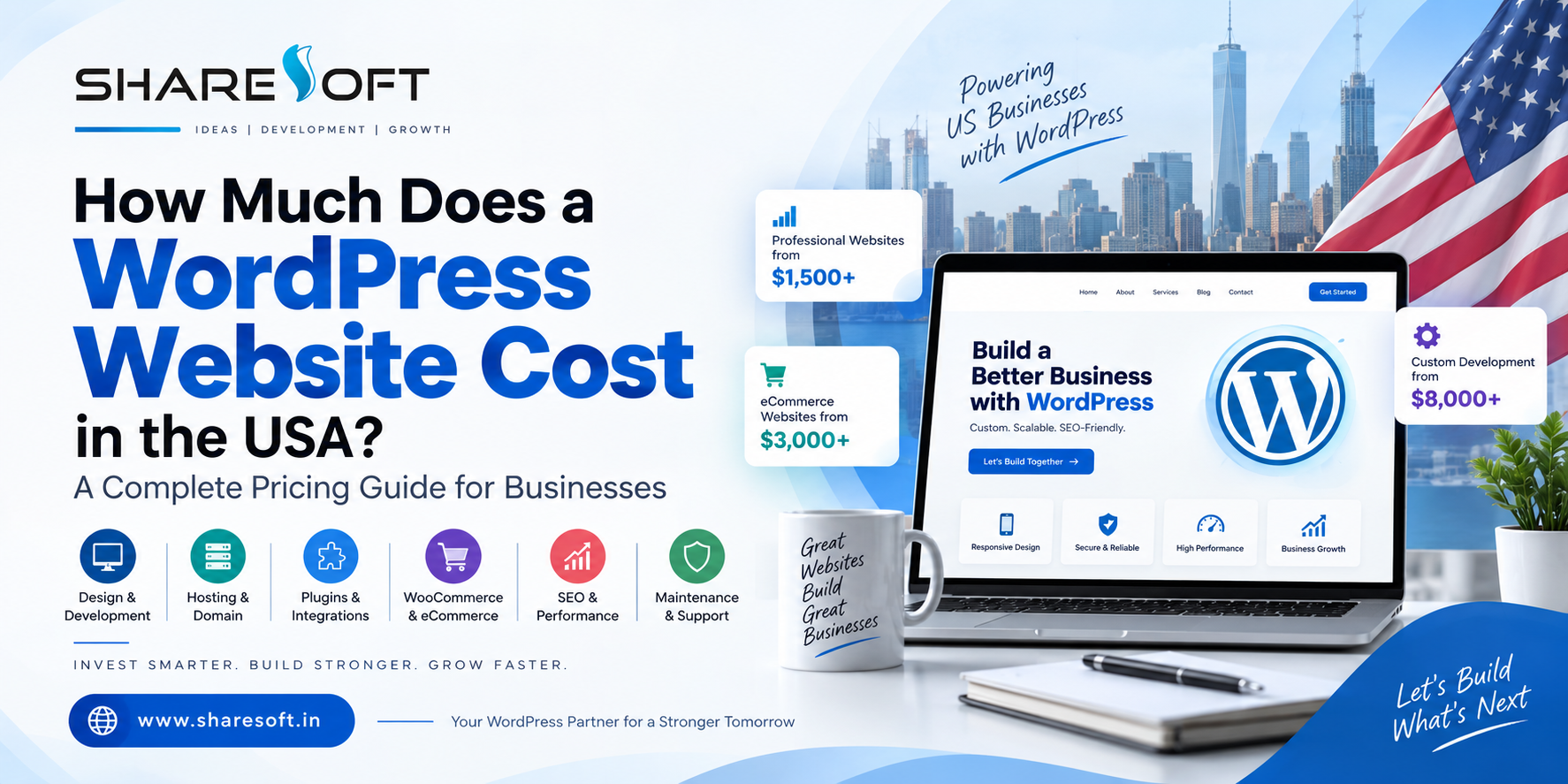 0 Comments 0 Shares
 - Custom WordPress Development Solutions for Modern Businesses:
What Is Custom WordPress Development?
Custom WordPress development is the process of creating a website specifically based on your business requirements, goals, and brand identity. Unlike ready-made templates, custom development provides greater flexibility to build unique designs, advanced functionality, and scalable solutions. At ShareSoft Technology, we create WordPress websites tailored to each client's specific needs.
Professional WordPress Website Development
At ShareSoft Technology, we provide professional custom WordPress development services for businesses, startups, and organizations. Our expertise includes custom WordPress themes, plugin development, WooCommerce development, API integrations, third-party integrations, and feature-rich business websites. Every solution is designed to provide a smooth user experience across desktop, tablet, and mobile devices.
Custom Themes & Plugin Development
Our custom WordPress development approach allows you to build functionality that may not be available through standard themes or plugins. We can develop customized themes, plugins, WooCommerce features, membership systems, booking functionality, API integrations, and other business-specific solutions. This gives you better control over your website's design, functionality, and future scalability.
Fast, Secure & SEO-Friendly WordPress Websites
ShareSoft Technology focuses on developing WordPress websites that are fast, responsive, secure, and SEO-friendly. We follow modern development practices and focus on clean code, performance optimization, mobile responsiveness, and usability. A well-optimized WordPress website can provide a better experience for visitors while creating a strong foundation for your online visibility.
Why Choose ShareSoft Technology?
Choosing the right development partner is important for building a reliable and scalable website. ShareSoft Technology combines extensive WordPress development experience with a focus on quality, performance, and customized solutions. Whether you need a new WordPress website, WooCommerce store, custom plugin, website migration, API integration, or improvements to an existing website, our custom WordPress development services can be tailored to your business requirements.
Website Link:https://www.sharesoft.in/services/wordpress-development/
Custom WordPress Development Solutions for Modern Businesses: What Is Custom WordPress Development? Custom WordPress development is the process of creating a website specifically based on your business requirements, goals, and brand identity. Unlike ready-made templates, custom development provides greater flexibility to build unique designs, advanced functionality, and scalable solutions. At ShareSoft Technology, we create WordPress websites tailored to each client's specific needs. Professional WordPress Website Development At ShareSoft Technology, we provide professional custom WordPress development services for businesses, startups, and organizations. Our expertise includes custom WordPress themes, plugin development, WooCommerce development, API integrations, third-party integrations, and feature-rich business websites. Every solution is designed to provide a smooth user experience across desktop, tablet, and mobile devices. Custom Themes & Plugin Development Our custom WordPress development approach allows you to build functionality that may not be available through standard themes or plugins. We can develop customized themes, plugins, WooCommerce features, membership systems, booking functionality, API integrations, and other business-specific solutions. This gives you better control over your website's design, functionality, and future scalability. Fast, Secure & SEO-Friendly WordPress Websites ShareSoft Technology focuses on developing WordPress websites that are fast, responsive, secure, and SEO-friendly. We follow modern development practices and focus on clean code, performance optimization, mobile responsiveness, and usability. A well-optimized WordPress website can provide a better experience for visitors while creating a strong foundation for your online visibility. Why Choose ShareSoft Technology? Choosing the right development partner is important for building a reliable and scalable website. ShareSoft Technology combines extensive WordPress development experience with a focus on quality, performance, and customized solutions. Whether you need a new WordPress website, WooCommerce store, custom plugin, website migration, API integration, or improvements to an existing website, our custom WordPress development services can be tailored to your business requirements. Website Link:https://www.sharesoft.in/services/wordpress-development/0 Comments 0 Shares - Shopify Development Services | Custom Shopify Store Development:
Shopify Development Services for High-Performing, Scalable Online Stores:
A professional Shopify development service helps businesses build fast, responsive, secure, and conversion-focused online stores tailored to their specific needs. Whether you are launching a new Shopify store or improving an existing one, we provide customized solutions based on your brand, products, and business goals. Our development approach focuses on clean coding, mobile responsiveness, user-friendly navigation, smooth functionality, and an excellent shopping experience.
Why Choose Shopify Development Services?
Choosing professional Shopify development services gives your business much more than a visually appealing website. Shopify is a powerful eCommerce platform that offers reliable hosting, secure infrastructure, flexible customization, and a wide range of applications and integrations. With the right development strategy, your store can be optimized for speed, SEO, usability, and conversions while providing a strong foundation for future business growth.
Custom Shopify Store Development
Every business has different requirements, so we create Shopify stores that are customized around your business objectives rather than relying only on standard templates. We can customize Shopify themes, create custom sections, modify layouts, add unique functionality, and develop features according to your requirements. From a completely new Shopify store to advanced customization of an existing website, we focus on delivering a professional and user-friendly online shopping experience.
Shopify Theme Customization, Integration & Migration**
Our Shopify development expertise covers theme customization, custom sections, app integration, API integration, payment gateway integration, product setup, third-party integrations, bug fixing, and Shopify migration. If you are moving your store from WooCommerce, Magento, or another eCommerce platform, we can help with the migration process while maintaining your important store data and functionality. We also improve existing Shopify stores to make them more efficient, responsive, and easier to manage.
Build a Better Shopify Store for Your Business
A successful Shopify store requires more than attractive design. It needs strong functionality, fast loading performance, responsive layouts, intuitive navigation, and a smooth customer journey. We combine Shopify development expertise with practical eCommerce experience to build and enhance stores for businesses of different sizes. Whether you need a complete Shopify store, custom theme development, theme customization, custom coding, new sections, integrations, migration, bug fixing, or ongoing Shopify development support, we can provide a solution designed around your business requirements.
Website link:https://www.sharesoft.in/services/shopify-development/
Shopify Development Services | Custom Shopify Store Development: Shopify Development Services for High-Performing, Scalable Online Stores: A professional Shopify development service helps businesses build fast, responsive, secure, and conversion-focused online stores tailored to their specific needs. Whether you are launching a new Shopify store or improving an existing one, we provide customized solutions based on your brand, products, and business goals. Our development approach focuses on clean coding, mobile responsiveness, user-friendly navigation, smooth functionality, and an excellent shopping experience. Why Choose Shopify Development Services? Choosing professional Shopify development services gives your business much more than a visually appealing website. Shopify is a powerful eCommerce platform that offers reliable hosting, secure infrastructure, flexible customization, and a wide range of applications and integrations. With the right development strategy, your store can be optimized for speed, SEO, usability, and conversions while providing a strong foundation for future business growth. Custom Shopify Store Development Every business has different requirements, so we create Shopify stores that are customized around your business objectives rather than relying only on standard templates. We can customize Shopify themes, create custom sections, modify layouts, add unique functionality, and develop features according to your requirements. From a completely new Shopify store to advanced customization of an existing website, we focus on delivering a professional and user-friendly online shopping experience. Shopify Theme Customization, Integration & Migration** Our Shopify development expertise covers theme customization, custom sections, app integration, API integration, payment gateway integration, product setup, third-party integrations, bug fixing, and Shopify migration. If you are moving your store from WooCommerce, Magento, or another eCommerce platform, we can help with the migration process while maintaining your important store data and functionality. We also improve existing Shopify stores to make them more efficient, responsive, and easier to manage. Build a Better Shopify Store for Your Business A successful Shopify store requires more than attractive design. It needs strong functionality, fast loading performance, responsive layouts, intuitive navigation, and a smooth customer journey. We combine Shopify development expertise with practical eCommerce experience to build and enhance stores for businesses of different sizes. Whether you need a complete Shopify store, custom theme development, theme customization, custom coding, new sections, integrations, migration, bug fixing, or ongoing Shopify development support, we can provide a solution designed around your business requirements. Website link:https://www.sharesoft.in/services/shopify-development/ 0 Comments 0 Shares
 - How to Choose the Best WordPress Developer for Your Business:
Choosing the right WordPress developer can have a direct impact on your website’s performance, security, search visibility, user experience, and long-term growth. A developer is not simply someone who can install WordPress or change the design of a theme. For a business website, you need someone who understands how to turn your business requirements into a website that is fast, secure, scalable, easy to manage, and built around your customers.
With thousands of WordPress developers, freelancers, agencies, and development companies available today, finding the right fit can feel overwhelming.
So, how do you choose the best WordPress developer for your business?
The answer depends on more than technical skills. You should evaluate their experience, development approach, communication, understanding of SEO, ability to build custom functionality, security practices, maintenance support, and track record with businesses similar to yours.
This guide explains what to look for before hiring a WordPress developer and how to make a decision that supports your website for the long term.
What Does a WordPress Developer Do?
A WordPress developer specializes in building, customizing, improving, and maintaining websites using WordPress.
Depending on the project, a WordPress developer may work on:
Custom WordPress website development
WordPress theme development and customization
WordPress plugin development
Business website development
WooCommerce development
Website redesign and migration
API and third-party integrations
Website speed optimization
WordPress security
Technical SEO implementation
Mobile-responsive development
Ongoing WordPress maintenance
A professional WordPress website developer should also understand how different parts of a website work together. Design, functionality, hosting, databases, performance, security, SEO, and user experience all influence the quality of the final website.
For this reason, choosing a developer solely because they offer the lowest price can become an expensive decision later.
Why Choosing the Right WordPress Developer Matters
Your website is often one of the first places potential customers interact with your business.
A poorly developed website can create problems such as:
Slow loading times
Poor mobile experience
Security vulnerabilities
Broken functionality
Difficult content management
Poor search engine performance
Compatibility issues after updates
Limited ability to add new features
Higher maintenance costs
On the other hand, a well-developed WordPress website gives your business a stronger foundation for marketing and growth.
The right developer should think beyond simply getting your website online. They should consider how the website will perform six months, one year, or several years after launch.
10 Things to Consider When Choosing a WordPress Developer
1. Look at Their WordPress Development Experience
The first thing to evaluate is experience.
Don’t just ask, “How many websites have you built?”
Ask what types of WordPress websites they have developed.
For example, developing a simple personal blog is very different from developing:
A corporate website
An eCommerce store
A membership website
A service-based business website
A marketplace
A booking platform
A multilingual website
A website requiring custom integrations
Look for a WordPress developer who has experience with projects similar to yours.
Questions to ask
Before hiring a developer, consider asking:
How long have you worked with WordPress?
What types of businesses have you worked with?
Have you built websites similar to mine?
Can I see examples of your previous work?
Do you develop custom functionality?
Do you provide post-launch support?
The answers will give you a much better understanding of whether the developer is suitable for your project.
2. Review Their WordPress Portfolio
A portfolio can tell you more than a sales pitch.
When reviewing previous WordPress projects, don’t look only at how attractive the websites appear. Examine how the websites actually work.
Check:
Design:
Does the website look professional and appropriate for the business?
Navigation:
Can users quickly find the information they need?
Mobile experience:
Does the website work properly on smartphones and tablets?
Performance:
Do pages load quickly?
Functionality:
Does the website provide the features expected from that type of business?
Content structure:
Is information organized clearly?
Conversion experience:
Is it easy for visitors to contact the business, request a quote, make a purchase, or take another desired action?
A good portfolio should demonstrate problem-solving ability, not just attractive layouts.
3. Make Sure They Understand Your Business Goals
One of the biggest mistakes businesses make is hiring a developer before clearly defining what the website needs to achieve.
A professional WordPress developer should ask questions about your business before recommending a solution.
For example:
Who is your target audience?
What products or services do you offer?
What actions should visitors take?
Do you need online payments?
Do you need lead generation?
Will your team manage the website?
Do you need integrations with other systems?
Are you targeting local, national, or international customers?
Do you have specific SEO requirements?
The developer should understand the business objective behind the website, not simply the technical requirements.
For example, if your main goal is generating enquiries, the website should be structured around lead generation. If you’re selling products, the development approach should prioritize eCommerce functionality and a smooth purchasing experience.
4. Check Their Custom WordPress Development Skills
WordPress provides thousands of themes and plugins, which makes website development easier.
However, installing plugins is not the same as providing professional WordPress development.
Your business may eventually require functionality that isn’t available through an existing plugin.
A capable WordPress developer should be comfortable working with:
Custom themes
Custom plugins
PHP
HTML
CSS
JavaScript
WordPress APIs
Databases
REST APIs
Third-party integrations
This doesn’t mean every project requires everything to be custom coded.
In fact, a good developer should know when to use an existing solution and when custom development makes more sense.
The objective isn’t to make the website unnecessarily complicated. It’s to create the right technical solution for your requirements.
5. Evaluate Their WordPress Theme and Plugin Approach
Themes and plugins are an important part of WordPress development.
But adding too many plugins can create unnecessary dependencies, performance problems, security concerns, and compatibility issues.
Ask your potential developer:
Which themes do you normally use?
Do you customize existing themes?
Can you develop custom themes?
How do you evaluate plugins?
What happens if a plugin becomes unsupported?
How do you handle plugin conflicts?
Do you use lightweight development practices?
A professional developer should select themes and plugins based on your requirements rather than simply installing whatever is popular.
6. Don’t Ignore Website Speed
Website performance matters for both users and search visibility.
A beautiful website that takes too long to load can frustrate visitors and hurt conversions.
Your WordPress developer should consider performance during development rather than treating speed optimization as an afterthought.
Important areas include:
Image optimization
Efficient code
Caching
Database optimization
Script and stylesheet management
Lightweight themes
Plugin selection
Hosting configuration
Mobile performance
Ask the developer how they plan to keep the website fast as new content and functionality are added.
This is particularly important for eCommerce websites and websites expecting substantial traffic.
7. Ask About WordPress SEO
A WordPress developer doesn’t necessarily need to be an SEO strategist, but they should understand the technical foundations of SEO-friendly website development.
A properly developed website should make it easier for search engines to crawl and understand your content.
Important considerations include:
Clean URL structures
Proper heading hierarchy
Mobile responsiveness
Website speed
Crawlability
XML sitemap compatibility
Canonical implementation
Structured data where appropriate
Image optimization
Internal linking structure
Indexation controls
The developer should also understand that SEO shouldn’t be added only after the website has been completed.
SEO-friendly development should be considered from the beginning.
8. Ask About WordPress Security
Security is another area where experience matters.
WordPress websites need ongoing attention because the WordPress core, themes, plugins, hosting environment, and administrator accounts can all affect security.
Ask your developer about:
WordPress core updates
Plugin and theme updates
Secure administrator accounts
Backup procedures
Malware monitoring
Secure configuration
SSL
Login protection
Vulnerability management
A professional developer should also avoid unnecessary plugins and outdated components wherever possible.
Remember that website security is not a one-time task. It requires ongoing maintenance.
9. Find Out What Happens After Launch
This is one of the most important questions to ask before hiring a WordPress developer.
Your website launch isn’t the end of the project.
After launch, you may need:
WordPress updates
Plugin updates
Security monitoring
Backups
Bug fixes
Performance optimization
New features
Content changes
Technical support
Ask whether the developer provides ongoing WordPress maintenance and support.
Also clarify:
What is included?
How quickly are support requests handled?
Is support included in the development cost?
Is there a monthly maintenance plan?
How are additional development requests billed?
Understanding this beforehand prevents unpleasant surprises later.
10. Compare Value, Not Just Price
Cost is naturally an important consideration.
However, choosing the cheapest WordPress developer can sometimes create higher costs later.
A low-cost project may initially look attractive but could result in:
Poor coding practices
Plugin dependency
Slow performance
Security issues
Difficult maintenance
Limited scalability
Expensive redevelopment
Instead of asking:
“Who can build my website for the lowest price?”
ask:
“Who can build the right website for my business at a reasonable long-term cost?”
Compare developers based on experience, technical capability, communication, development quality, support, and business understanding.
Freelancer vs WordPress Development Company: Which Should You Choose?
This depends on the size and complexity of your project.
A freelancer may be suitable when:
You have a relatively small project
Your requirements are straightforward
You need occasional development work
You have a limited budget
You only need one specialist
A WordPress development company may be better when:
You’re building a business-critical website
Multiple specialists are required
You need custom functionality
You require ongoing maintenance
You need design, development, SEO, and technical support
You expect the website to grow
You need structured project management
Neither option is automatically better.
The right choice depends on your business requirements, project complexity, budget, and long-term plans.
Questions to Ask Before Hiring a WordPress Developer
Before signing an agreement, ask these questions:
About experience
How many years have you worked with WordPress?
Can you show me relevant WordPress projects?
Have you worked with businesses in my industry?
About development
Will you use an existing theme or create a custom solution?
What plugins will you recommend and why?
Can you develop custom WordPress functionality?
Can you integrate third-party systems?
About SEO and performance
Will the website be developed with SEO in mind?
How will you optimize website speed?
Will the website be mobile responsive?
About security
How will you secure the website?
How will backups and updates be handled?
About support
What happens after the website launches?
Do you provide WordPress maintenance?
How quickly can you respond if something breaks?
About cost
What is included in the development package?
Are there additional costs for future changes?
What is the estimated timeline?
A developer who provides clear, specific answers is generally easier to work with than someone who makes vague promises.
Red Flags to Watch Out for When Hiring a WordPress Developer
Be cautious if a developer:
Promises guaranteed Google rankings
No developer can legitimately guarantee a specific Google ranking.
Focuses only on design
A website needs more than an attractive appearance. Performance, security, functionality, SEO, and usability matter too.
Uses too many plugins
More plugins don’t automatically mean more functionality. Unnecessary plugins can increase complexity.
Can’t explain their development approach
You don’t need to be a programmer, but your developer should be able to explain the solution in understandable terms.
Has no relevant portfolio
If they cannot demonstrate previous work, ask why.
Offers an unrealistically low price
Price isn’t always an indication of quality, but an extremely low quote can be a warning sign when the project requires substantial custom development.
Doesn’t provide post-launch support
Websites require ongoing updates and maintenance. Make sure you understand who will handle them.
How Much Does It Cost to Hire a WordPress Developer?
There isn’t one fixed price for WordPress development.
The cost depends on factors such as:
Website size
Number of pages
Design requirements
Custom functionality
Theme development
Plugin development
WooCommerce requirements
API integrations
Content migration
SEO requirements
Security requirements
Maintenance needs
A basic business website may require significantly less development work than a custom WooCommerce store or a website connected to multiple business systems.
Instead of selecting a developer based solely on their hourly rate or project quote, compare the scope and value of what you’re actually receiving.
What Should a Professional WordPress Development Process Look Like?
A structured process can make a significant difference to project quality.
A typical process may look like this:
1. Discovery
Understand the business, audience, goals, competitors, and requirements.
2. Planning
Define website architecture, functionality, content structure, integrations, and technical requirements.
3. UI/UX Design
Create a user-friendly interface aligned with the brand and business objectives.
4. WordPress Development
Build the website, customize the theme, develop required functionality, and integrate necessary systems.
5. Content & SEO Setup
Implement content structure, metadata, headings, URLs, images, and technical SEO foundations.
6. Testing
Test functionality, forms, responsiveness, browsers, performance, security, and integrations.
7. Launch
Deploy the website and configure the production environment.
8. Ongoing Maintenance
Keep WordPress, themes, plugins, security, performance, and functionality maintained.
This structured approach reduces the chances of discovering major problems after launch.
Why Businesses Choose Professional WordPress Development Services
For businesses that depend heavily on their website, professional development can provide advantages beyond simply having a WordPress website.
A professional development team can help create a website that is:
Designed around business objectives
Customized to your requirements
SEO-friendly
Mobile responsive
Fast and scalable
Secure
Easier to manage
Ready for future integrations
Supported after launch
For businesses looking for a complete WordPress solution, Sharesoft Technology provides WordPress development services covering custom WordPress development, theme and plugin customization, WooCommerce development, website migration, maintenance, performance optimization, and related requirements.
The focus should always be on creating a website that works as a business asset—not simply a website that looks good.
How to Make Your Final Decision
Once you’ve shortlisted two or three WordPress developers or development companies, compare them using the same criteria.
Factor What to Look For
Experience Relevant WordPress projects
Portfolio Quality and functionality
Technical skills Custom development capability
SEO SEO-friendly development
Performance Speed optimization approach
Security Updates, backups and protection
Communication Clear and consistent communication
Support Post-launch maintenance
Scalability Ability to support future growth
Pricing Clear scope and reasonable value
Don’t automatically select the developer with the lowest quote.
Choose the person or company that demonstrates the strongest combination of technical expertise, business understanding, communication, reliability, and long-term support.
Frequently Asked Questions
1. What should I look for in a WordPress developer?
Look for relevant WordPress experience, a strong portfolio, technical development skills, understanding of SEO and performance, security awareness, clear communication, and reliable post-launch support.
2. How do I know if a WordPress developer is good?
Review their previous websites, ask technical and project-related questions, check whether they understand your business objectives, and evaluate how clearly they explain their development process.
3. Should I hire a WordPress developer or a WordPress development company?
A freelancer may be suitable for smaller and simpler projects. A WordPress development company can be more appropriate for complex business websites requiring multiple skills, custom development, integrations, and ongoing support.
4. How much does a WordPress developer cost?
WordPress development costs vary depending on the website's complexity, design, custom functionality, integrations, eCommerce requirements, SEO needs, and maintenance requirements. There is no universal price for every project.
5. Can a WordPress developer help with SEO?
Yes. A WordPress developer can implement important technical SEO foundations such as clean URLs, responsive design, performance optimization, crawlable architecture, proper headings, and structured data where appropriate. However, technical development and ongoing SEO strategy are different disciplines.
6. Do I need a custom WordPress website?
Not every business needs a completely custom website. A good developer should assess your requirements and determine whether an existing theme, customized theme, or fully custom development approach provides the best balance of functionality, performance, cost, and maintainability.
7. What should I ask a WordPress developer before hiring them?
Ask about their experience, portfolio, development approach, theme and plugin strategy, custom development capabilities, SEO and performance practices, security, timeline, pricing, and post-launch maintenance.
8. Is WordPress suitable for business websites?
Yes. WordPress can support many types of business websites, from simple corporate sites to sophisticated websites and WooCommerce stores. The quality of the implementation, hosting, security, performance, and ongoing maintenance are important factors.
Final Thoughts
Choosing the best WordPress developer for your business isn’t about finding someone who simply knows how to work with WordPress.
It’s about finding a development partner who understands your business, your customers, your technical requirements, and your long-term goals.
The right WordPress developer should be able to combine design, development, performance, security, SEO fundamentals, usability, and ongoing maintenance into a website that can grow with your business.
Before making your decision, look beyond the price. Review their portfolio, ask the right questions, understand exactly what is included, and make sure they can support your website after launch.
A well-developed WordPress website is an investment in your business—not just another digital expense.
If you’re looking for professional WordPress development services, Sharesoft Technology can help you plan, develop, customize, optimize, and maintain a WordPress website around your business requirements.
How to Choose the Best WordPress Developer for Your Business: Choosing the right WordPress developer can have a direct impact on your website’s performance, security, search visibility, user experience, and long-term growth. A developer is not simply someone who can install WordPress or change the design of a theme. For a business website, you need someone who understands how to turn your business requirements into a website that is fast, secure, scalable, easy to manage, and built around your customers. With thousands of WordPress developers, freelancers, agencies, and development companies available today, finding the right fit can feel overwhelming. So, how do you choose the best WordPress developer for your business? The answer depends on more than technical skills. You should evaluate their experience, development approach, communication, understanding of SEO, ability to build custom functionality, security practices, maintenance support, and track record with businesses similar to yours. This guide explains what to look for before hiring a WordPress developer and how to make a decision that supports your website for the long term. What Does a WordPress Developer Do? A WordPress developer specializes in building, customizing, improving, and maintaining websites using WordPress. Depending on the project, a WordPress developer may work on: Custom WordPress website development WordPress theme development and customization WordPress plugin development Business website development WooCommerce development Website redesign and migration API and third-party integrations Website speed optimization WordPress security Technical SEO implementation Mobile-responsive development Ongoing WordPress maintenance A professional WordPress website developer should also understand how different parts of a website work together. Design, functionality, hosting, databases, performance, security, SEO, and user experience all influence the quality of the final website. For this reason, choosing a developer solely because they offer the lowest price can become an expensive decision later. Why Choosing the Right WordPress Developer Matters Your website is often one of the first places potential customers interact with your business. A poorly developed website can create problems such as: Slow loading times Poor mobile experience Security vulnerabilities Broken functionality Difficult content management Poor search engine performance Compatibility issues after updates Limited ability to add new features Higher maintenance costs On the other hand, a well-developed WordPress website gives your business a stronger foundation for marketing and growth. The right developer should think beyond simply getting your website online. They should consider how the website will perform six months, one year, or several years after launch. 10 Things to Consider When Choosing a WordPress Developer 1. Look at Their WordPress Development Experience The first thing to evaluate is experience. Don’t just ask, “How many websites have you built?” Ask what types of WordPress websites they have developed. For example, developing a simple personal blog is very different from developing: A corporate website An eCommerce store A membership website A service-based business website A marketplace A booking platform A multilingual website A website requiring custom integrations Look for a WordPress developer who has experience with projects similar to yours. Questions to ask Before hiring a developer, consider asking: How long have you worked with WordPress? What types of businesses have you worked with? Have you built websites similar to mine? Can I see examples of your previous work? Do you develop custom functionality? Do you provide post-launch support? The answers will give you a much better understanding of whether the developer is suitable for your project. 2. Review Their WordPress Portfolio A portfolio can tell you more than a sales pitch. When reviewing previous WordPress projects, don’t look only at how attractive the websites appear. Examine how the websites actually work. Check: Design: Does the website look professional and appropriate for the business? Navigation: Can users quickly find the information they need? Mobile experience: Does the website work properly on smartphones and tablets? Performance: Do pages load quickly? Functionality: Does the website provide the features expected from that type of business? Content structure: Is information organized clearly? Conversion experience: Is it easy for visitors to contact the business, request a quote, make a purchase, or take another desired action? A good portfolio should demonstrate problem-solving ability, not just attractive layouts. 3. Make Sure They Understand Your Business Goals One of the biggest mistakes businesses make is hiring a developer before clearly defining what the website needs to achieve. A professional WordPress developer should ask questions about your business before recommending a solution. For example: Who is your target audience? What products or services do you offer? What actions should visitors take? Do you need online payments? Do you need lead generation? Will your team manage the website? Do you need integrations with other systems? Are you targeting local, national, or international customers? Do you have specific SEO requirements? The developer should understand the business objective behind the website, not simply the technical requirements. For example, if your main goal is generating enquiries, the website should be structured around lead generation. If you’re selling products, the development approach should prioritize eCommerce functionality and a smooth purchasing experience. 4. Check Their Custom WordPress Development Skills WordPress provides thousands of themes and plugins, which makes website development easier. However, installing plugins is not the same as providing professional WordPress development. Your business may eventually require functionality that isn’t available through an existing plugin. A capable WordPress developer should be comfortable working with: Custom themes Custom plugins PHP HTML CSS JavaScript WordPress APIs Databases REST APIs Third-party integrations This doesn’t mean every project requires everything to be custom coded. In fact, a good developer should know when to use an existing solution and when custom development makes more sense. The objective isn’t to make the website unnecessarily complicated. It’s to create the right technical solution for your requirements. 5. Evaluate Their WordPress Theme and Plugin Approach Themes and plugins are an important part of WordPress development. But adding too many plugins can create unnecessary dependencies, performance problems, security concerns, and compatibility issues. Ask your potential developer: Which themes do you normally use? Do you customize existing themes? Can you develop custom themes? How do you evaluate plugins? What happens if a plugin becomes unsupported? How do you handle plugin conflicts? Do you use lightweight development practices? A professional developer should select themes and plugins based on your requirements rather than simply installing whatever is popular. 6. Don’t Ignore Website Speed Website performance matters for both users and search visibility. A beautiful website that takes too long to load can frustrate visitors and hurt conversions. Your WordPress developer should consider performance during development rather than treating speed optimization as an afterthought. Important areas include: Image optimization Efficient code Caching Database optimization Script and stylesheet management Lightweight themes Plugin selection Hosting configuration Mobile performance Ask the developer how they plan to keep the website fast as new content and functionality are added. This is particularly important for eCommerce websites and websites expecting substantial traffic. 7. Ask About WordPress SEO A WordPress developer doesn’t necessarily need to be an SEO strategist, but they should understand the technical foundations of SEO-friendly website development. A properly developed website should make it easier for search engines to crawl and understand your content. Important considerations include: Clean URL structures Proper heading hierarchy Mobile responsiveness Website speed Crawlability XML sitemap compatibility Canonical implementation Structured data where appropriate Image optimization Internal linking structure Indexation controls The developer should also understand that SEO shouldn’t be added only after the website has been completed. SEO-friendly development should be considered from the beginning. 8. Ask About WordPress Security Security is another area where experience matters. WordPress websites need ongoing attention because the WordPress core, themes, plugins, hosting environment, and administrator accounts can all affect security. Ask your developer about: WordPress core updates Plugin and theme updates Secure administrator accounts Backup procedures Malware monitoring Secure configuration SSL Login protection Vulnerability management A professional developer should also avoid unnecessary plugins and outdated components wherever possible. Remember that website security is not a one-time task. It requires ongoing maintenance. 9. Find Out What Happens After Launch This is one of the most important questions to ask before hiring a WordPress developer. Your website launch isn’t the end of the project. After launch, you may need: WordPress updates Plugin updates Security monitoring Backups Bug fixes Performance optimization New features Content changes Technical support Ask whether the developer provides ongoing WordPress maintenance and support. Also clarify: What is included? How quickly are support requests handled? Is support included in the development cost? Is there a monthly maintenance plan? How are additional development requests billed? Understanding this beforehand prevents unpleasant surprises later. 10. Compare Value, Not Just Price Cost is naturally an important consideration. However, choosing the cheapest WordPress developer can sometimes create higher costs later. A low-cost project may initially look attractive but could result in: Poor coding practices Plugin dependency Slow performance Security issues Difficult maintenance Limited scalability Expensive redevelopment Instead of asking: “Who can build my website for the lowest price?” ask: “Who can build the right website for my business at a reasonable long-term cost?” Compare developers based on experience, technical capability, communication, development quality, support, and business understanding. Freelancer vs WordPress Development Company: Which Should You Choose? This depends on the size and complexity of your project. A freelancer may be suitable when: You have a relatively small project Your requirements are straightforward You need occasional development work You have a limited budget You only need one specialist A WordPress development company may be better when: You’re building a business-critical website Multiple specialists are required You need custom functionality You require ongoing maintenance You need design, development, SEO, and technical support You expect the website to grow You need structured project management Neither option is automatically better. The right choice depends on your business requirements, project complexity, budget, and long-term plans. Questions to Ask Before Hiring a WordPress Developer Before signing an agreement, ask these questions: About experience How many years have you worked with WordPress? Can you show me relevant WordPress projects? Have you worked with businesses in my industry? About development Will you use an existing theme or create a custom solution? What plugins will you recommend and why? Can you develop custom WordPress functionality? Can you integrate third-party systems? About SEO and performance Will the website be developed with SEO in mind? How will you optimize website speed? Will the website be mobile responsive? About security How will you secure the website? How will backups and updates be handled? About support What happens after the website launches? Do you provide WordPress maintenance? How quickly can you respond if something breaks? About cost What is included in the development package? Are there additional costs for future changes? What is the estimated timeline? A developer who provides clear, specific answers is generally easier to work with than someone who makes vague promises. Red Flags to Watch Out for When Hiring a WordPress Developer Be cautious if a developer: Promises guaranteed Google rankings No developer can legitimately guarantee a specific Google ranking. Focuses only on design A website needs more than an attractive appearance. Performance, security, functionality, SEO, and usability matter too. Uses too many plugins More plugins don’t automatically mean more functionality. Unnecessary plugins can increase complexity. Can’t explain their development approach You don’t need to be a programmer, but your developer should be able to explain the solution in understandable terms. Has no relevant portfolio If they cannot demonstrate previous work, ask why. Offers an unrealistically low price Price isn’t always an indication of quality, but an extremely low quote can be a warning sign when the project requires substantial custom development. Doesn’t provide post-launch support Websites require ongoing updates and maintenance. Make sure you understand who will handle them. How Much Does It Cost to Hire a WordPress Developer? There isn’t one fixed price for WordPress development. The cost depends on factors such as: Website size Number of pages Design requirements Custom functionality Theme development Plugin development WooCommerce requirements API integrations Content migration SEO requirements Security requirements Maintenance needs A basic business website may require significantly less development work than a custom WooCommerce store or a website connected to multiple business systems. Instead of selecting a developer based solely on their hourly rate or project quote, compare the scope and value of what you’re actually receiving. What Should a Professional WordPress Development Process Look Like? A structured process can make a significant difference to project quality. A typical process may look like this: 1. Discovery Understand the business, audience, goals, competitors, and requirements. 2. Planning Define website architecture, functionality, content structure, integrations, and technical requirements. 3. UI/UX Design Create a user-friendly interface aligned with the brand and business objectives. 4. WordPress Development Build the website, customize the theme, develop required functionality, and integrate necessary systems. 5. Content & SEO Setup Implement content structure, metadata, headings, URLs, images, and technical SEO foundations. 6. Testing Test functionality, forms, responsiveness, browsers, performance, security, and integrations. 7. Launch Deploy the website and configure the production environment. 8. Ongoing Maintenance Keep WordPress, themes, plugins, security, performance, and functionality maintained. This structured approach reduces the chances of discovering major problems after launch. Why Businesses Choose Professional WordPress Development Services For businesses that depend heavily on their website, professional development can provide advantages beyond simply having a WordPress website. A professional development team can help create a website that is: Designed around business objectives Customized to your requirements SEO-friendly Mobile responsive Fast and scalable Secure Easier to manage Ready for future integrations Supported after launch For businesses looking for a complete WordPress solution, Sharesoft Technology provides WordPress development services covering custom WordPress development, theme and plugin customization, WooCommerce development, website migration, maintenance, performance optimization, and related requirements. The focus should always be on creating a website that works as a business asset—not simply a website that looks good. How to Make Your Final Decision Once you’ve shortlisted two or three WordPress developers or development companies, compare them using the same criteria. Factor What to Look For Experience Relevant WordPress projects Portfolio Quality and functionality Technical skills Custom development capability SEO SEO-friendly development Performance Speed optimization approach Security Updates, backups and protection Communication Clear and consistent communication Support Post-launch maintenance Scalability Ability to support future growth Pricing Clear scope and reasonable value Don’t automatically select the developer with the lowest quote. Choose the person or company that demonstrates the strongest combination of technical expertise, business understanding, communication, reliability, and long-term support. Frequently Asked Questions 1. What should I look for in a WordPress developer? Look for relevant WordPress experience, a strong portfolio, technical development skills, understanding of SEO and performance, security awareness, clear communication, and reliable post-launch support. 2. How do I know if a WordPress developer is good? Review their previous websites, ask technical and project-related questions, check whether they understand your business objectives, and evaluate how clearly they explain their development process. 3. Should I hire a WordPress developer or a WordPress development company? A freelancer may be suitable for smaller and simpler projects. A WordPress development company can be more appropriate for complex business websites requiring multiple skills, custom development, integrations, and ongoing support. 4. How much does a WordPress developer cost? WordPress development costs vary depending on the website's complexity, design, custom functionality, integrations, eCommerce requirements, SEO needs, and maintenance requirements. There is no universal price for every project. 5. Can a WordPress developer help with SEO? Yes. A WordPress developer can implement important technical SEO foundations such as clean URLs, responsive design, performance optimization, crawlable architecture, proper headings, and structured data where appropriate. However, technical development and ongoing SEO strategy are different disciplines. 6. Do I need a custom WordPress website? Not every business needs a completely custom website. A good developer should assess your requirements and determine whether an existing theme, customized theme, or fully custom development approach provides the best balance of functionality, performance, cost, and maintainability. 7. What should I ask a WordPress developer before hiring them? Ask about their experience, portfolio, development approach, theme and plugin strategy, custom development capabilities, SEO and performance practices, security, timeline, pricing, and post-launch maintenance. 8. Is WordPress suitable for business websites? Yes. WordPress can support many types of business websites, from simple corporate sites to sophisticated websites and WooCommerce stores. The quality of the implementation, hosting, security, performance, and ongoing maintenance are important factors. Final Thoughts Choosing the best WordPress developer for your business isn’t about finding someone who simply knows how to work with WordPress. It’s about finding a development partner who understands your business, your customers, your technical requirements, and your long-term goals. The right WordPress developer should be able to combine design, development, performance, security, SEO fundamentals, usability, and ongoing maintenance into a website that can grow with your business. Before making your decision, look beyond the price. Review their portfolio, ask the right questions, understand exactly what is included, and make sure they can support your website after launch. A well-developed WordPress website is an investment in your business—not just another digital expense. If you’re looking for professional WordPress development services, Sharesoft Technology can help you plan, develop, customize, optimize, and maintain a WordPress website around your business requirements. 0 Comments 0 Shares
 - WordPress vs Shopify – Which One Is Really Best for Ecommerce? (2026 Beginner’s Guide)
Choosing the right ecommerce platform is one of the most important decisions for your online business.
Read the full guide here:
www.sharesoft.in/blog/ecommer...
WordPress vs Shopify – Which One Is Really Best for Ecommerce? (2026 Beginner’s Guide) Choosing the right ecommerce platform is one of the most important decisions for your online business. Read the full guide here: www.sharesoft.in/blog/ecommer... 0 Comments 0 Shares
 - WordPress Website Design for Plumbers, Electricians & HVAC in the UK: Complete Guide
If you run a plumbing, electrical, or HVAC business in the UK, you already know how competitive the local market has become. Most customers today don’t flip through directories—they search online, compare services, and call the first business that looks trustworthy. That means your website isn’t just a digital brochure anymore; it’s your primary lead generation tool.
The problem? Many trade businesses still rely on outdated, slow, or poorly optimized websites that fail to convert visitors into calls. This is where a well-built website using WordPress can completely change the game—especially when combined with professional wordpress website design UK strategies tailored for local businesses.
Why Trades Businesses in the UK Need Better Websites
Across the United Kingdom, customers searching for emergency repairs or installations expect fast results. Whether it’s a leaking pipe in London or a heating issue in Manchester, users typically:
Search on mobile
Click one of the top results
Call immediately
If your website is slow, hard to navigate, or lacks clear contact options, you’re losing potential customers to competitors within seconds.
A high-performing website should:
Load quickly on all devices
Clearly display services
Include strong calls-to-action
Be optimized for local search
Businesses investing in wordpress website design London often notice a significant improvement in both visibility and customer enquiries.
Why WordPress is Ideal for Plumbers, Electricians & HVAC Companies
There are many website platforms out there, but WordPress remains one of the most reliable choices for local service businesses—and for good reason.
1. SEO-Friendly Structure
WordPress allows you to optimize every page, from URLs to meta data, making it easier to rank in local UK searches with effective wordpress SEO UK strategies.
2. Flexibility & Customization
Whether you’re a solo plumber or a growing HVAC company, WordPress can scale with your business.
3. Cost-Effective Solution
Compared to custom-built platforms, WordPress offers powerful features without high development costs.
4. Easy Management
You don’t need advanced technical skills to update content, add services, or manage your site.
Website Design Essentials for Plumbing Businesses
Plumbers often deal with urgent service requests. Your website should reflect that urgency.
Key features include:
Click-to-call buttons for mobile users
Emergency service highlights
Service area pages (e.g., London, Birmingham)
Customer reviews and trust badges
A clean, fast-loading design can significantly increase the number of calls you receive. A well-structured website design for plumbers UK focuses on speed, clarity, and immediate action.
Website Design Essentials for Electricians
For electricians, trust and credibility are everything. Customers want reassurance before they pick up the phone.
Your website should include:
Certifications and qualifications
Clear service listings
Before-and-after project images
Strong contact forms and CTAs
Adding location-based content also helps improve visibility. Investing in electrician website design UK ensures your services stand out in competitive local searches.
Website Design Essentials for HVAC Companies
HVAC businesses often offer a wide range of services, from installations to maintenance. Your website should make navigation simple and intuitive.
Important elements:
Detailed service pages
Booking or enquiry forms
Maintenance plan information
Seasonal service highlights
A professional HVAC website design UK approach ensures users can easily find and request the services they need.
The Role of Local SEO in the UK Market
A visually appealing website is only part of the equation. Without proper SEO, your site won’t be found by potential customers.
Local SEO helps your business appear in:
Google search results
Map listings
“Near me” searches
To improve your rankings:
Use location-based keywords naturally
Create dedicated service area pages
Optimize your Google Business profile
Ensure fast loading speeds
Strong local SEO for trades UK strategies can turn your website into a consistent source of leads.
How AI SEO is Changing Local Business Websites
One of the biggest shifts in recent years is the rise of AI-driven search and optimization.
AI SEO doesn’t replace traditional SEO—it enhances it.
With AI-powered strategies, your website can:
Identify high-converting keywords
Optimize content structure automatically
Improve relevance for voice searches
Adapt to changing search trends
Businesses adopting AI SEO services UK are already seeing improved visibility and better-quality traffic.
Common Website Mistakes Trades Businesses Should Avoid
Even today, many businesses make avoidable mistakes that hurt their online performance:
Slow loading speeds
Poor mobile experience
Lack of clear contact options
No local SEO optimization
Generic, non-targeted content
Fixing these issues alone can significantly improve your results. Choosing the right tradesman website design UK approach helps avoid these common pitfalls.
Turning Your Website into a Lead-Generating Machine
A successful website is not just about design—it’s about performance.
To generate consistent leads, your website should:
Guide visitors toward taking action
Build trust instantly
Be optimized for search engines
Reflect your brand and professionalism
If you’re serious about growth, investing in wordpress web design for plumbers UK and other trade-specific solutions can make a measurable difference.
Final Thoughts
For plumbers, electricians, and HVAC companies in the UK, investing in a well-optimized WordPress website is no longer optional—it’s essential. With the right combination of design, local SEO, and AI-driven optimization, your website can attract more visitors, convert more leads, and help your business grow steadily.
If you’re looking to improve your online presence and generate more local enquiries, working with an experienced team like Sharesoft Technology can make all the difference. With expertise in wordpress website design UK, AI-powered SEO, and conversion-focused strategies, Sharesoft helps trades businesses build websites that don’t just look good—but actually bring in leads.
Frequently Asked Questions
1. Why is WordPress a good choice for trades businesses in the UK?
WordPress is highly flexible, cost-effective, and SEO-friendly, making it ideal for plumbers, electricians, and HVAC companies looking to generate local leads and manage their websites easily.
2. How does website design help plumbers, electricians, and HVAC companies get more leads?
A well-designed website improves user experience, builds trust, and encourages visitors to take action. Features like click-to-call buttons, fast loading speeds, and clear service pages can significantly increase enquiries.
3. What is AI SEO and how does it benefit local businesses in the UK?
AI SEO uses advanced tools and data analysis to optimize your website for search engines. It helps identify the right keywords, improve content relevance, and adapt to changing search trends, resulting in better rankings and more targeted traffic.
4. How long does it take to see results from SEO for trades businesses?
Most businesses start seeing improvements within 3 to 6 months, depending on competition, website quality, and SEO strategy. Local SEO can often deliver faster results for targeted areas.
5. Do I need separate pages for plumbing, electrical, and HVAC services?
Yes, creating separate pages for each service improves keyword targeting and helps your website rank better in search results. It also provides a better experience for users looking for specific services.
6. How much does WordPress website design cost in the UK?
Costs vary depending on features, customization, and SEO requirements. Basic websites may start lower, while advanced, lead-generation-focused websites with AI SEO will require a higher investment.
7. Can a WordPress website rank in Google and AI search platforms?
Yes, with proper SEO, structured content, and authority signals, a WordPress website can rank in both traditional search engines and AI-driven search platforms.
Looking for expert WordPress website design in the UK? Contact Sharesoft Technology today and start generating more local leads.WordPress Website Design for Plumbers, Electricians & HVAC in the UK: Complete Guide If you run a plumbing, electrical, or HVAC business in the UK, you already know how competitive the local market has become. Most customers today don’t flip through directories—they search online, compare services, and call the first business that looks trustworthy. That means your website isn’t just a digital brochure anymore; it’s your primary lead generation tool. The problem? Many trade businesses still rely on outdated, slow, or poorly optimized websites that fail to convert visitors into calls. This is where a well-built website using WordPress can completely change the game—especially when combined with professional wordpress website design UK strategies tailored for local businesses. Why Trades Businesses in the UK Need Better Websites Across the United Kingdom, customers searching for emergency repairs or installations expect fast results. Whether it’s a leaking pipe in London or a heating issue in Manchester, users typically: Search on mobile Click one of the top results Call immediately If your website is slow, hard to navigate, or lacks clear contact options, you’re losing potential customers to competitors within seconds. A high-performing website should: Load quickly on all devices Clearly display services Include strong calls-to-action Be optimized for local search Businesses investing in wordpress website design London often notice a significant improvement in both visibility and customer enquiries. Why WordPress is Ideal for Plumbers, Electricians & HVAC Companies There are many website platforms out there, but WordPress remains one of the most reliable choices for local service businesses—and for good reason. 1. SEO-Friendly Structure WordPress allows you to optimize every page, from URLs to meta data, making it easier to rank in local UK searches with effective wordpress SEO UK strategies. 2. Flexibility & Customization Whether you’re a solo plumber or a growing HVAC company, WordPress can scale with your business. 3. Cost-Effective Solution Compared to custom-built platforms, WordPress offers powerful features without high development costs. 4. Easy Management You don’t need advanced technical skills to update content, add services, or manage your site. Website Design Essentials for Plumbing Businesses Plumbers often deal with urgent service requests. Your website should reflect that urgency. Key features include: Click-to-call buttons for mobile users Emergency service highlights Service area pages (e.g., London, Birmingham) Customer reviews and trust badges A clean, fast-loading design can significantly increase the number of calls you receive. A well-structured website design for plumbers UK focuses on speed, clarity, and immediate action. Website Design Essentials for Electricians For electricians, trust and credibility are everything. Customers want reassurance before they pick up the phone. Your website should include: Certifications and qualifications Clear service listings Before-and-after project images Strong contact forms and CTAs Adding location-based content also helps improve visibility. Investing in electrician website design UK ensures your services stand out in competitive local searches. Website Design Essentials for HVAC Companies HVAC businesses often offer a wide range of services, from installations to maintenance. Your website should make navigation simple and intuitive. Important elements: Detailed service pages Booking or enquiry forms Maintenance plan information Seasonal service highlights A professional HVAC website design UK approach ensures users can easily find and request the services they need. The Role of Local SEO in the UK Market A visually appealing website is only part of the equation. Without proper SEO, your site won’t be found by potential customers. Local SEO helps your business appear in: Google search results Map listings “Near me” searches To improve your rankings: Use location-based keywords naturally Create dedicated service area pages Optimize your Google Business profile Ensure fast loading speeds Strong local SEO for trades UK strategies can turn your website into a consistent source of leads. How AI SEO is Changing Local Business Websites One of the biggest shifts in recent years is the rise of AI-driven search and optimization. AI SEO doesn’t replace traditional SEO—it enhances it. With AI-powered strategies, your website can: Identify high-converting keywords Optimize content structure automatically Improve relevance for voice searches Adapt to changing search trends Businesses adopting AI SEO services UK are already seeing improved visibility and better-quality traffic. Common Website Mistakes Trades Businesses Should Avoid Even today, many businesses make avoidable mistakes that hurt their online performance: Slow loading speeds Poor mobile experience Lack of clear contact options No local SEO optimization Generic, non-targeted content Fixing these issues alone can significantly improve your results. Choosing the right tradesman website design UK approach helps avoid these common pitfalls. Turning Your Website into a Lead-Generating Machine A successful website is not just about design—it’s about performance. To generate consistent leads, your website should: Guide visitors toward taking action Build trust instantly Be optimized for search engines Reflect your brand and professionalism If you’re serious about growth, investing in wordpress web design for plumbers UK and other trade-specific solutions can make a measurable difference. Final Thoughts For plumbers, electricians, and HVAC companies in the UK, investing in a well-optimized WordPress website is no longer optional—it’s essential. With the right combination of design, local SEO, and AI-driven optimization, your website can attract more visitors, convert more leads, and help your business grow steadily. If you’re looking to improve your online presence and generate more local enquiries, working with an experienced team like Sharesoft Technology can make all the difference. With expertise in wordpress website design UK, AI-powered SEO, and conversion-focused strategies, Sharesoft helps trades businesses build websites that don’t just look good—but actually bring in leads. Frequently Asked Questions 1. Why is WordPress a good choice for trades businesses in the UK? WordPress is highly flexible, cost-effective, and SEO-friendly, making it ideal for plumbers, electricians, and HVAC companies looking to generate local leads and manage their websites easily. 2. How does website design help plumbers, electricians, and HVAC companies get more leads? A well-designed website improves user experience, builds trust, and encourages visitors to take action. Features like click-to-call buttons, fast loading speeds, and clear service pages can significantly increase enquiries. 3. What is AI SEO and how does it benefit local businesses in the UK? AI SEO uses advanced tools and data analysis to optimize your website for search engines. It helps identify the right keywords, improve content relevance, and adapt to changing search trends, resulting in better rankings and more targeted traffic. 4. How long does it take to see results from SEO for trades businesses? Most businesses start seeing improvements within 3 to 6 months, depending on competition, website quality, and SEO strategy. Local SEO can often deliver faster results for targeted areas. 5. Do I need separate pages for plumbing, electrical, and HVAC services? Yes, creating separate pages for each service improves keyword targeting and helps your website rank better in search results. It also provides a better experience for users looking for specific services. 6. How much does WordPress website design cost in the UK? Costs vary depending on features, customization, and SEO requirements. Basic websites may start lower, while advanced, lead-generation-focused websites with AI SEO will require a higher investment. 7. Can a WordPress website rank in Google and AI search platforms? Yes, with proper SEO, structured content, and authority signals, a WordPress website can rank in both traditional search engines and AI-driven search platforms. Looking for expert WordPress website design in the UK? Contact Sharesoft Technology today and start generating more local leads. 0 Comments 0 Shares

More Stories