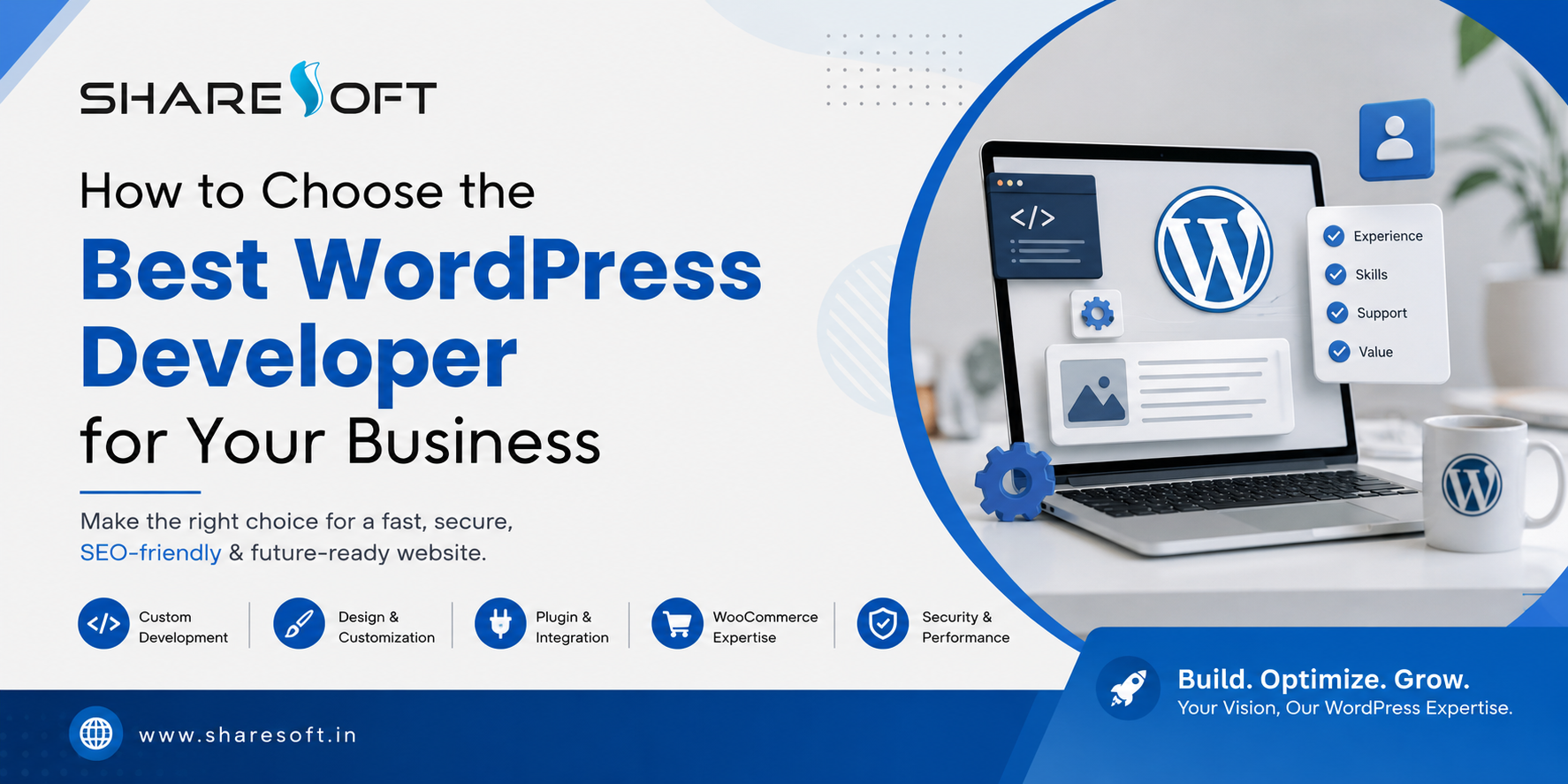
How to Choose the Best WordPress Developer for Your Business:
Choosing the right WordPress developer can have a direct impact on your website’s performance, security, search visibility, user experience, and long-term growth. A developer is not simply someone who can install WordPress or change the design of a theme. For a business website, you need someone who understands how to turn your business requirements into a website that is fast, secure, scalable, easy to manage, and built around your customers.
With thousands of WordPress developers, freelancers, agencies, and development companies available today, finding the right fit can feel overwhelming.
So, how do you choose the best WordPress developer for your business?
The answer depends on more than technical skills. You should evaluate their experience, development approach, communication, understanding of SEO, ability to build custom functionality, security practices, maintenance support, and track record with businesses similar to yours.
This guide explains what to look for before hiring a WordPress developer and how to make a decision that supports your website for the long term.
What Does a WordPress Developer Do?
A WordPress developer specializes in building, customizing, improving, and maintaining websites using WordPress.
Depending on the project, a WordPress developer may work on:
Custom WordPress website development
WordPress theme development and customization
WordPress plugin development
Business website development
WooCommerce development
Website redesign and migration
API and third-party integrations
Website speed optimization
WordPress security
Technical SEO implementation
Mobile-responsive development
Ongoing WordPress maintenance
A professional WordPress website developer should also understand how different parts of a website work together. Design, functionality, hosting, databases, performance, security, SEO, and user experience all influence the quality of the final website.
For this reason, choosing a developer solely because they offer the lowest price can become an expensive decision later.
Why Choosing the Right WordPress Developer Matters
Your website is often one of the first places potential customers interact with your business.
A poorly developed website can create problems such as:
Slow loading times
Poor mobile experience
Security vulnerabilities
Broken functionality
Difficult content management
Poor search engine performance
Compatibility issues after updates
Limited ability to add new features
Higher maintenance costs
On the other hand, a well-developed WordPress website gives your business a stronger foundation for marketing and growth.
The right developer should think beyond simply getting your website online. They should consider how the website will perform six months, one year, or several years after launch.
10 Things to Consider When Choosing a WordPress Developer
1. Look at Their WordPress Development Experience
The first thing to evaluate is experience.
Don’t just ask, “How many websites have you built?”
Ask what types of WordPress websites they have developed.
For example, developing a simple personal blog is very different from developing:
A corporate website
An eCommerce store
A membership website
A service-based business website
A marketplace
A booking platform
A multilingual website
A website requiring custom integrations
Look for a WordPress developer who has experience with projects similar to yours.
Questions to ask
Before hiring a developer, consider asking:
How long have you worked with WordPress?
What types of businesses have you worked with?
Have you built websites similar to mine?
Can I see examples of your previous work?
Do you develop custom functionality?
Do you provide post-launch support?
The answers will give you a much better understanding of whether the developer is suitable for your project.
2. Review Their WordPress Portfolio
A portfolio can tell you more than a sales pitch.
When reviewing previous WordPress projects, don’t look only at how attractive the websites appear. Examine how the websites actually work.
Check:
Design:
Does the website look professional and appropriate for the business?
Navigation:
Can users quickly find the information they need?
Mobile experience:
Does the website work properly on smartphones and tablets?
Performance:
Do pages load quickly?
Functionality:
Does the website provide the features expected from that type of business?
Content structure:
Is information organized clearly?
Conversion experience:
Is it easy for visitors to contact the business, request a quote, make a purchase, or take another desired action?
A good portfolio should demonstrate problem-solving ability, not just attractive layouts.
3. Make Sure They Understand Your Business Goals
One of the biggest mistakes businesses make is hiring a developer before clearly defining what the website needs to achieve.
A professional WordPress developer should ask questions about your business before recommending a solution.
For example:
Who is your target audience?
What products or services do you offer?
What actions should visitors take?
Do you need online payments?
Do you need lead generation?
Will your team manage the website?
Do you need integrations with other systems?
Are you targeting local, national, or international customers?
Do you have specific SEO requirements?
The developer should understand the business objective behind the website, not simply the technical requirements.
For example, if your main goal is generating enquiries, the website should be structured around lead generation. If you’re selling products, the development approach should prioritize eCommerce functionality and a smooth purchasing experience.
4. Check Their Custom WordPress Development Skills
WordPress provides thousands of themes and plugins, which makes website development easier.
However, installing plugins is not the same as providing professional WordPress development.
Your business may eventually require functionality that isn’t available through an existing plugin.
A capable WordPress developer should be comfortable working with:
Custom themes
Custom plugins
PHP
HTML
CSS
JavaScript
WordPress APIs
Databases
REST APIs
Third-party integrations
This doesn’t mean every project requires everything to be custom coded.
In fact, a good developer should know when to use an existing solution and when custom development makes more sense.
The objective isn’t to make the website unnecessarily complicated. It’s to create the right technical solution for your requirements.
5. Evaluate Their WordPress Theme and Plugin Approach
Themes and plugins are an important part of WordPress development.
But adding too many plugins can create unnecessary dependencies, performance problems, security concerns, and compatibility issues.
Ask your potential developer:
Which themes do you normally use?
Do you customize existing themes?
Can you develop custom themes?
How do you evaluate plugins?
What happens if a plugin becomes unsupported?
How do you handle plugin conflicts?
Do you use lightweight development practices?
A professional developer should select themes and plugins based on your requirements rather than simply installing whatever is popular.
6. Don’t Ignore Website Speed
Website performance matters for both users and search visibility.
A beautiful website that takes too long to load can frustrate visitors and hurt conversions.
Your WordPress developer should consider performance during development rather than treating speed optimization as an afterthought.
Important areas include:
Image optimization
Efficient code
Caching
Database optimization
Script and stylesheet management
Lightweight themes
Plugin selection
Hosting configuration
Mobile performance
Ask the developer how they plan to keep the website fast as new content and functionality are added.
This is particularly important for eCommerce websites and websites expecting substantial traffic.
7. Ask About WordPress SEO
A WordPress developer doesn’t necessarily need to be an SEO strategist, but they should understand the technical foundations of SEO-friendly website development.
A properly developed website should make it easier for search engines to crawl and understand your content.
Important considerations include:
Clean URL structures
Proper heading hierarchy
Mobile responsiveness
Website speed
Crawlability
XML sitemap compatibility
Canonical implementation
Structured data where appropriate
Image optimization
Internal linking structure
Indexation controls
The developer should also understand that SEO shouldn’t be added only after the website has been completed.
SEO-friendly development should be considered from the beginning.
8. Ask About WordPress Security
Security is another area where experience matters.
WordPress websites need ongoing attention because the WordPress core, themes, plugins, hosting environment, and administrator accounts can all affect security.
Ask your developer about:
WordPress core updates
Plugin and theme updates
Secure administrator accounts
Backup procedures
Malware monitoring
Secure configuration
SSL
Login protection
Vulnerability management
A professional developer should also avoid unnecessary plugins and outdated components wherever possible.
Remember that website security is not a one-time task. It requires ongoing maintenance.
9. Find Out What Happens After Launch
This is one of the most important questions to ask before hiring a WordPress developer.
Your website launch isn’t the end of the project.
After launch, you may need:
WordPress updates
Plugin updates
Security monitoring
Backups
Bug fixes
Performance optimization
New features
Content changes
Technical support
Ask whether the developer provides ongoing WordPress maintenance and support.
Also clarify:
What is included?
How quickly are support requests handled?
Is support included in the development cost?
Is there a monthly maintenance plan?
How are additional development requests billed?
Understanding this beforehand prevents unpleasant surprises later.
10. Compare Value, Not Just Price
Cost is naturally an important consideration.
However, choosing the cheapest WordPress developer can sometimes create higher costs later.
A low-cost project may initially look attractive but could result in:
Poor coding practices
Plugin dependency
Slow performance
Security issues
Difficult maintenance
Limited scalability
Expensive redevelopment
Instead of asking:
“Who can build my website for the lowest price?”
ask:
“Who can build the right website for my business at a reasonable long-term cost?”
Compare developers based on experience, technical capability, communication, development quality, support, and business understanding.
Freelancer vs WordPress Development Company: Which Should You Choose?
This depends on the size and complexity of your project.
A freelancer may be suitable when:
You have a relatively small project
Your requirements are straightforward
You need occasional development work
You have a limited budget
You only need one specialist
A WordPress development company may be better when:
You’re building a business-critical website
Multiple specialists are required
You need custom functionality
You require ongoing maintenance
You need design, development, SEO, and technical support
You expect the website to grow
You need structured project management
Neither option is automatically better.
The right choice depends on your business requirements, project complexity, budget, and long-term plans.
Questions to Ask Before Hiring a WordPress Developer
Before signing an agreement, ask these questions:
About experience
How many years have you worked with WordPress?
Can you show me relevant WordPress projects?
Have you worked with businesses in my industry?
About development
Will you use an existing theme or create a custom solution?
What plugins will you recommend and why?
Can you develop custom WordPress functionality?
Can you integrate third-party systems?
About SEO and performance
Will the website be developed with SEO in mind?
How will you optimize website speed?
Will the website be mobile responsive?
About security
How will you secure the website?
How will backups and updates be handled?
About support
What happens after the website launches?
Do you provide WordPress maintenance?
How quickly can you respond if something breaks?
About cost
What is included in the development package?
Are there additional costs for future changes?
What is the estimated timeline?
A developer who provides clear, specific answers is generally easier to work with than someone who makes vague promises.
Red Flags to Watch Out for When Hiring a WordPress Developer
Be cautious if a developer:
Promises guaranteed Google rankings
No developer can legitimately guarantee a specific Google ranking.
Focuses only on design
A website needs more than an attractive appearance. Performance, security, functionality, SEO, and usability matter too.
Uses too many plugins
More plugins don’t automatically mean more functionality. Unnecessary plugins can increase complexity.
Can’t explain their development approach
You don’t need to be a programmer, but your developer should be able to explain the solution in understandable terms.
Has no relevant portfolio
If they cannot demonstrate previous work, ask why.
Offers an unrealistically low price
Price isn’t always an indication of quality, but an extremely low quote can be a warning sign when the project requires substantial custom development.
Doesn’t provide post-launch support
Websites require ongoing updates and maintenance. Make sure you understand who will handle them.
How Much Does It Cost to Hire a WordPress Developer?
There isn’t one fixed price for WordPress development.
The cost depends on factors such as:
Website size
Number of pages
Design requirements
Custom functionality
Theme development
Plugin development
WooCommerce requirements
API integrations
Content migration
SEO requirements
Security requirements
Maintenance needs
A basic business website may require significantly less development work than a custom WooCommerce store or a website connected to multiple business systems.
Instead of selecting a developer based solely on their hourly rate or project quote, compare the scope and value of what you’re actually receiving.
What Should a Professional WordPress Development Process Look Like?
A structured process can make a significant difference to project quality.
A typical process may look like this:
1. Discovery
Understand the business, audience, goals, competitors, and requirements.
2. Planning
Define website architecture, functionality, content structure, integrations, and technical requirements.
3. UI/UX Design
Create a user-friendly interface aligned with the brand and business objectives.
4. WordPress Development
Build the website, customize the theme, develop required functionality, and integrate necessary systems.
5. Content & SEO Setup
Implement content structure, metadata, headings, URLs, images, and technical SEO foundations.
6. Testing
Test functionality, forms, responsiveness, browsers, performance, security, and integrations.
7. Launch
Deploy the website and configure the production environment.
8. Ongoing Maintenance
Keep WordPress, themes, plugins, security, performance, and functionality maintained.
This structured approach reduces the chances of discovering major problems after launch.
Why Businesses Choose Professional WordPress Development Services
For businesses that depend heavily on their website, professional development can provide advantages beyond simply having a WordPress website.
A professional development team can help create a website that is:
Designed around business objectives
Customized to your requirements
SEO-friendly
Mobile responsive
Fast and scalable
Secure
Easier to manage
Ready for future integrations
Supported after launch
For businesses looking for a complete WordPress solution, Sharesoft Technology provides WordPress development services covering custom WordPress development, theme and plugin customization, WooCommerce development, website migration, maintenance, performance optimization, and related requirements.
The focus should always be on creating a website that works as a business asset—not simply a website that looks good.
How to Make Your Final Decision
Once you’ve shortlisted two or three WordPress developers or development companies, compare them using the same criteria.
Factor What to Look For
Experience Relevant WordPress projects
Portfolio Quality and functionality
Technical skills Custom development capability
SEO SEO-friendly development
Performance Speed optimization approach
Security Updates, backups and protection
Communication Clear and consistent communication
Support Post-launch maintenance
Scalability Ability to support future growth
Pricing Clear scope and reasonable value
Don’t automatically select the developer with the lowest quote.
Choose the person or company that demonstrates the strongest combination of technical expertise, business understanding, communication, reliability, and long-term support.
Frequently Asked Questions
1. What should I look for in a WordPress developer?
Look for relevant WordPress experience, a strong portfolio, technical development skills, understanding of SEO and performance, security awareness, clear communication, and reliable post-launch support.
2. How do I know if a WordPress developer is good?
Review their previous websites, ask technical and project-related questions, check whether they understand your business objectives, and evaluate how clearly they explain their development process.
3. Should I hire a WordPress developer or a WordPress development company?
A freelancer may be suitable for smaller and simpler projects. A WordPress development company can be more appropriate for complex business websites requiring multiple skills, custom development, integrations, and ongoing support.
4. How much does a WordPress developer cost?
WordPress development costs vary depending on the website's complexity, design, custom functionality, integrations, eCommerce requirements, SEO needs, and maintenance requirements. There is no universal price for every project.
5. Can a WordPress developer help with SEO?
Yes. A WordPress developer can implement important technical SEO foundations such as clean URLs, responsive design, performance optimization, crawlable architecture, proper headings, and structured data where appropriate. However, technical development and ongoing SEO strategy are different disciplines.
6. Do I need a custom WordPress website?
Not every business needs a completely custom website. A good developer should assess your requirements and determine whether an existing theme, customized theme, or fully custom development approach provides the best balance of functionality, performance, cost, and maintainability.
7. What should I ask a WordPress developer before hiring them?
Ask about their experience, portfolio, development approach, theme and plugin strategy, custom development capabilities, SEO and performance practices, security, timeline, pricing, and post-launch maintenance.
8. Is WordPress suitable for business websites?
Yes. WordPress can support many types of business websites, from simple corporate sites to sophisticated websites and WooCommerce stores. The quality of the implementation, hosting, security, performance, and ongoing maintenance are important factors.
Final Thoughts
Choosing the best WordPress developer for your business isn’t about finding someone who simply knows how to work with WordPress.
It’s about finding a development partner who understands your business, your customers, your technical requirements, and your long-term goals.
The right WordPress developer should be able to combine design, development, performance, security, SEO fundamentals, usability, and ongoing maintenance into a website that can grow with your business.
Before making your decision, look beyond the price. Review their portfolio, ask the right questions, understand exactly what is included, and make sure they can support your website after launch.
A well-developed WordPress website is an investment in your business—not just another digital expense.
If you’re looking for professional WordPress development services, Sharesoft Technology can help you plan, develop, customize, optimize, and maintain a WordPress website around your business requirements.
Choosing the right WordPress developer can have a direct impact on your website’s performance, security, search visibility, user experience, and long-term growth. A developer is not simply someone who can install WordPress or change the design of a theme. For a business website, you need someone who understands how to turn your business requirements into a website that is fast, secure, scalable, easy to manage, and built around your customers.
With thousands of WordPress developers, freelancers, agencies, and development companies available today, finding the right fit can feel overwhelming.
So, how do you choose the best WordPress developer for your business?
The answer depends on more than technical skills. You should evaluate their experience, development approach, communication, understanding of SEO, ability to build custom functionality, security practices, maintenance support, and track record with businesses similar to yours.
This guide explains what to look for before hiring a WordPress developer and how to make a decision that supports your website for the long term.
What Does a WordPress Developer Do?
A WordPress developer specializes in building, customizing, improving, and maintaining websites using WordPress.
Depending on the project, a WordPress developer may work on:
Custom WordPress website development
WordPress theme development and customization
WordPress plugin development
Business website development
WooCommerce development
Website redesign and migration
API and third-party integrations
Website speed optimization
WordPress security
Technical SEO implementation
Mobile-responsive development
Ongoing WordPress maintenance
A professional WordPress website developer should also understand how different parts of a website work together. Design, functionality, hosting, databases, performance, security, SEO, and user experience all influence the quality of the final website.
For this reason, choosing a developer solely because they offer the lowest price can become an expensive decision later.
Why Choosing the Right WordPress Developer Matters
Your website is often one of the first places potential customers interact with your business.
A poorly developed website can create problems such as:
Slow loading times
Poor mobile experience
Security vulnerabilities
Broken functionality
Difficult content management
Poor search engine performance
Compatibility issues after updates
Limited ability to add new features
Higher maintenance costs
On the other hand, a well-developed WordPress website gives your business a stronger foundation for marketing and growth.
The right developer should think beyond simply getting your website online. They should consider how the website will perform six months, one year, or several years after launch.
10 Things to Consider When Choosing a WordPress Developer
1. Look at Their WordPress Development Experience
The first thing to evaluate is experience.
Don’t just ask, “How many websites have you built?”
Ask what types of WordPress websites they have developed.
For example, developing a simple personal blog is very different from developing:
A corporate website
An eCommerce store
A membership website
A service-based business website
A marketplace
A booking platform
A multilingual website
A website requiring custom integrations
Look for a WordPress developer who has experience with projects similar to yours.
Questions to ask
Before hiring a developer, consider asking:
How long have you worked with WordPress?
What types of businesses have you worked with?
Have you built websites similar to mine?
Can I see examples of your previous work?
Do you develop custom functionality?
Do you provide post-launch support?
The answers will give you a much better understanding of whether the developer is suitable for your project.
2. Review Their WordPress Portfolio
A portfolio can tell you more than a sales pitch.
When reviewing previous WordPress projects, don’t look only at how attractive the websites appear. Examine how the websites actually work.
Check:
Design:
Does the website look professional and appropriate for the business?
Navigation:
Can users quickly find the information they need?
Mobile experience:
Does the website work properly on smartphones and tablets?
Performance:
Do pages load quickly?
Functionality:
Does the website provide the features expected from that type of business?
Content structure:
Is information organized clearly?
Conversion experience:
Is it easy for visitors to contact the business, request a quote, make a purchase, or take another desired action?
A good portfolio should demonstrate problem-solving ability, not just attractive layouts.
3. Make Sure They Understand Your Business Goals
One of the biggest mistakes businesses make is hiring a developer before clearly defining what the website needs to achieve.
A professional WordPress developer should ask questions about your business before recommending a solution.
For example:
Who is your target audience?
What products or services do you offer?
What actions should visitors take?
Do you need online payments?
Do you need lead generation?
Will your team manage the website?
Do you need integrations with other systems?
Are you targeting local, national, or international customers?
Do you have specific SEO requirements?
The developer should understand the business objective behind the website, not simply the technical requirements.
For example, if your main goal is generating enquiries, the website should be structured around lead generation. If you’re selling products, the development approach should prioritize eCommerce functionality and a smooth purchasing experience.
4. Check Their Custom WordPress Development Skills
WordPress provides thousands of themes and plugins, which makes website development easier.
However, installing plugins is not the same as providing professional WordPress development.
Your business may eventually require functionality that isn’t available through an existing plugin.
A capable WordPress developer should be comfortable working with:
Custom themes
Custom plugins
PHP
HTML
CSS
JavaScript
WordPress APIs
Databases
REST APIs
Third-party integrations
This doesn’t mean every project requires everything to be custom coded.
In fact, a good developer should know when to use an existing solution and when custom development makes more sense.
The objective isn’t to make the website unnecessarily complicated. It’s to create the right technical solution for your requirements.
5. Evaluate Their WordPress Theme and Plugin Approach
Themes and plugins are an important part of WordPress development.
But adding too many plugins can create unnecessary dependencies, performance problems, security concerns, and compatibility issues.
Ask your potential developer:
Which themes do you normally use?
Do you customize existing themes?
Can you develop custom themes?
How do you evaluate plugins?
What happens if a plugin becomes unsupported?
How do you handle plugin conflicts?
Do you use lightweight development practices?
A professional developer should select themes and plugins based on your requirements rather than simply installing whatever is popular.
6. Don’t Ignore Website Speed
Website performance matters for both users and search visibility.
A beautiful website that takes too long to load can frustrate visitors and hurt conversions.
Your WordPress developer should consider performance during development rather than treating speed optimization as an afterthought.
Important areas include:
Image optimization
Efficient code
Caching
Database optimization
Script and stylesheet management
Lightweight themes
Plugin selection
Hosting configuration
Mobile performance
Ask the developer how they plan to keep the website fast as new content and functionality are added.
This is particularly important for eCommerce websites and websites expecting substantial traffic.
7. Ask About WordPress SEO
A WordPress developer doesn’t necessarily need to be an SEO strategist, but they should understand the technical foundations of SEO-friendly website development.
A properly developed website should make it easier for search engines to crawl and understand your content.
Important considerations include:
Clean URL structures
Proper heading hierarchy
Mobile responsiveness
Website speed
Crawlability
XML sitemap compatibility
Canonical implementation
Structured data where appropriate
Image optimization
Internal linking structure
Indexation controls
The developer should also understand that SEO shouldn’t be added only after the website has been completed.
SEO-friendly development should be considered from the beginning.
8. Ask About WordPress Security
Security is another area where experience matters.
WordPress websites need ongoing attention because the WordPress core, themes, plugins, hosting environment, and administrator accounts can all affect security.
Ask your developer about:
WordPress core updates
Plugin and theme updates
Secure administrator accounts
Backup procedures
Malware monitoring
Secure configuration
SSL
Login protection
Vulnerability management
A professional developer should also avoid unnecessary plugins and outdated components wherever possible.
Remember that website security is not a one-time task. It requires ongoing maintenance.
9. Find Out What Happens After Launch
This is one of the most important questions to ask before hiring a WordPress developer.
Your website launch isn’t the end of the project.
After launch, you may need:
WordPress updates
Plugin updates
Security monitoring
Backups
Bug fixes
Performance optimization
New features
Content changes
Technical support
Ask whether the developer provides ongoing WordPress maintenance and support.
Also clarify:
What is included?
How quickly are support requests handled?
Is support included in the development cost?
Is there a monthly maintenance plan?
How are additional development requests billed?
Understanding this beforehand prevents unpleasant surprises later.
10. Compare Value, Not Just Price
Cost is naturally an important consideration.
However, choosing the cheapest WordPress developer can sometimes create higher costs later.
A low-cost project may initially look attractive but could result in:
Poor coding practices
Plugin dependency
Slow performance
Security issues
Difficult maintenance
Limited scalability
Expensive redevelopment
Instead of asking:
“Who can build my website for the lowest price?”
ask:
“Who can build the right website for my business at a reasonable long-term cost?”
Compare developers based on experience, technical capability, communication, development quality, support, and business understanding.
Freelancer vs WordPress Development Company: Which Should You Choose?
This depends on the size and complexity of your project.
A freelancer may be suitable when:
You have a relatively small project
Your requirements are straightforward
You need occasional development work
You have a limited budget
You only need one specialist
A WordPress development company may be better when:
You’re building a business-critical website
Multiple specialists are required
You need custom functionality
You require ongoing maintenance
You need design, development, SEO, and technical support
You expect the website to grow
You need structured project management
Neither option is automatically better.
The right choice depends on your business requirements, project complexity, budget, and long-term plans.
Questions to Ask Before Hiring a WordPress Developer
Before signing an agreement, ask these questions:
About experience
How many years have you worked with WordPress?
Can you show me relevant WordPress projects?
Have you worked with businesses in my industry?
About development
Will you use an existing theme or create a custom solution?
What plugins will you recommend and why?
Can you develop custom WordPress functionality?
Can you integrate third-party systems?
About SEO and performance
Will the website be developed with SEO in mind?
How will you optimize website speed?
Will the website be mobile responsive?
About security
How will you secure the website?
How will backups and updates be handled?
About support
What happens after the website launches?
Do you provide WordPress maintenance?
How quickly can you respond if something breaks?
About cost
What is included in the development package?
Are there additional costs for future changes?
What is the estimated timeline?
A developer who provides clear, specific answers is generally easier to work with than someone who makes vague promises.
Red Flags to Watch Out for When Hiring a WordPress Developer
Be cautious if a developer:
Promises guaranteed Google rankings
No developer can legitimately guarantee a specific Google ranking.
Focuses only on design
A website needs more than an attractive appearance. Performance, security, functionality, SEO, and usability matter too.
Uses too many plugins
More plugins don’t automatically mean more functionality. Unnecessary plugins can increase complexity.
Can’t explain their development approach
You don’t need to be a programmer, but your developer should be able to explain the solution in understandable terms.
Has no relevant portfolio
If they cannot demonstrate previous work, ask why.
Offers an unrealistically low price
Price isn’t always an indication of quality, but an extremely low quote can be a warning sign when the project requires substantial custom development.
Doesn’t provide post-launch support
Websites require ongoing updates and maintenance. Make sure you understand who will handle them.
How Much Does It Cost to Hire a WordPress Developer?
There isn’t one fixed price for WordPress development.
The cost depends on factors such as:
Website size
Number of pages
Design requirements
Custom functionality
Theme development
Plugin development
WooCommerce requirements
API integrations
Content migration
SEO requirements
Security requirements
Maintenance needs
A basic business website may require significantly less development work than a custom WooCommerce store or a website connected to multiple business systems.
Instead of selecting a developer based solely on their hourly rate or project quote, compare the scope and value of what you’re actually receiving.
What Should a Professional WordPress Development Process Look Like?
A structured process can make a significant difference to project quality.
A typical process may look like this:
1. Discovery
Understand the business, audience, goals, competitors, and requirements.
2. Planning
Define website architecture, functionality, content structure, integrations, and technical requirements.
3. UI/UX Design
Create a user-friendly interface aligned with the brand and business objectives.
4. WordPress Development
Build the website, customize the theme, develop required functionality, and integrate necessary systems.
5. Content & SEO Setup
Implement content structure, metadata, headings, URLs, images, and technical SEO foundations.
6. Testing
Test functionality, forms, responsiveness, browsers, performance, security, and integrations.
7. Launch
Deploy the website and configure the production environment.
8. Ongoing Maintenance
Keep WordPress, themes, plugins, security, performance, and functionality maintained.
This structured approach reduces the chances of discovering major problems after launch.
Why Businesses Choose Professional WordPress Development Services
For businesses that depend heavily on their website, professional development can provide advantages beyond simply having a WordPress website.
A professional development team can help create a website that is:
Designed around business objectives
Customized to your requirements
SEO-friendly
Mobile responsive
Fast and scalable
Secure
Easier to manage
Ready for future integrations
Supported after launch
For businesses looking for a complete WordPress solution, Sharesoft Technology provides WordPress development services covering custom WordPress development, theme and plugin customization, WooCommerce development, website migration, maintenance, performance optimization, and related requirements.
The focus should always be on creating a website that works as a business asset—not simply a website that looks good.
How to Make Your Final Decision
Once you’ve shortlisted two or three WordPress developers or development companies, compare them using the same criteria.
Factor What to Look For
Experience Relevant WordPress projects
Portfolio Quality and functionality
Technical skills Custom development capability
SEO SEO-friendly development
Performance Speed optimization approach
Security Updates, backups and protection
Communication Clear and consistent communication
Support Post-launch maintenance
Scalability Ability to support future growth
Pricing Clear scope and reasonable value
Don’t automatically select the developer with the lowest quote.
Choose the person or company that demonstrates the strongest combination of technical expertise, business understanding, communication, reliability, and long-term support.
Frequently Asked Questions
1. What should I look for in a WordPress developer?
Look for relevant WordPress experience, a strong portfolio, technical development skills, understanding of SEO and performance, security awareness, clear communication, and reliable post-launch support.
2. How do I know if a WordPress developer is good?
Review their previous websites, ask technical and project-related questions, check whether they understand your business objectives, and evaluate how clearly they explain their development process.
3. Should I hire a WordPress developer or a WordPress development company?
A freelancer may be suitable for smaller and simpler projects. A WordPress development company can be more appropriate for complex business websites requiring multiple skills, custom development, integrations, and ongoing support.
4. How much does a WordPress developer cost?
WordPress development costs vary depending on the website's complexity, design, custom functionality, integrations, eCommerce requirements, SEO needs, and maintenance requirements. There is no universal price for every project.
5. Can a WordPress developer help with SEO?
Yes. A WordPress developer can implement important technical SEO foundations such as clean URLs, responsive design, performance optimization, crawlable architecture, proper headings, and structured data where appropriate. However, technical development and ongoing SEO strategy are different disciplines.
6. Do I need a custom WordPress website?
Not every business needs a completely custom website. A good developer should assess your requirements and determine whether an existing theme, customized theme, or fully custom development approach provides the best balance of functionality, performance, cost, and maintainability.
7. What should I ask a WordPress developer before hiring them?
Ask about their experience, portfolio, development approach, theme and plugin strategy, custom development capabilities, SEO and performance practices, security, timeline, pricing, and post-launch maintenance.
8. Is WordPress suitable for business websites?
Yes. WordPress can support many types of business websites, from simple corporate sites to sophisticated websites and WooCommerce stores. The quality of the implementation, hosting, security, performance, and ongoing maintenance are important factors.
Final Thoughts
Choosing the best WordPress developer for your business isn’t about finding someone who simply knows how to work with WordPress.
It’s about finding a development partner who understands your business, your customers, your technical requirements, and your long-term goals.
The right WordPress developer should be able to combine design, development, performance, security, SEO fundamentals, usability, and ongoing maintenance into a website that can grow with your business.
Before making your decision, look beyond the price. Review their portfolio, ask the right questions, understand exactly what is included, and make sure they can support your website after launch.
A well-developed WordPress website is an investment in your business—not just another digital expense.
If you’re looking for professional WordPress development services, Sharesoft Technology can help you plan, develop, customize, optimize, and maintain a WordPress website around your business requirements.
How to Choose the Best WordPress Developer for Your Business:
Choosing the right WordPress developer can have a direct impact on your website’s performance, security, search visibility, user experience, and long-term growth. A developer is not simply someone who can install WordPress or change the design of a theme. For a business website, you need someone who understands how to turn your business requirements into a website that is fast, secure, scalable, easy to manage, and built around your customers.
With thousands of WordPress developers, freelancers, agencies, and development companies available today, finding the right fit can feel overwhelming.
So, how do you choose the best WordPress developer for your business?
The answer depends on more than technical skills. You should evaluate their experience, development approach, communication, understanding of SEO, ability to build custom functionality, security practices, maintenance support, and track record with businesses similar to yours.
This guide explains what to look for before hiring a WordPress developer and how to make a decision that supports your website for the long term.
What Does a WordPress Developer Do?
A WordPress developer specializes in building, customizing, improving, and maintaining websites using WordPress.
Depending on the project, a WordPress developer may work on:
Custom WordPress website development
WordPress theme development and customization
WordPress plugin development
Business website development
WooCommerce development
Website redesign and migration
API and third-party integrations
Website speed optimization
WordPress security
Technical SEO implementation
Mobile-responsive development
Ongoing WordPress maintenance
A professional WordPress website developer should also understand how different parts of a website work together. Design, functionality, hosting, databases, performance, security, SEO, and user experience all influence the quality of the final website.
For this reason, choosing a developer solely because they offer the lowest price can become an expensive decision later.
Why Choosing the Right WordPress Developer Matters
Your website is often one of the first places potential customers interact with your business.
A poorly developed website can create problems such as:
Slow loading times
Poor mobile experience
Security vulnerabilities
Broken functionality
Difficult content management
Poor search engine performance
Compatibility issues after updates
Limited ability to add new features
Higher maintenance costs
On the other hand, a well-developed WordPress website gives your business a stronger foundation for marketing and growth.
The right developer should think beyond simply getting your website online. They should consider how the website will perform six months, one year, or several years after launch.
10 Things to Consider When Choosing a WordPress Developer
1. Look at Their WordPress Development Experience
The first thing to evaluate is experience.
Don’t just ask, “How many websites have you built?”
Ask what types of WordPress websites they have developed.
For example, developing a simple personal blog is very different from developing:
A corporate website
An eCommerce store
A membership website
A service-based business website
A marketplace
A booking platform
A multilingual website
A website requiring custom integrations
Look for a WordPress developer who has experience with projects similar to yours.
Questions to ask
Before hiring a developer, consider asking:
How long have you worked with WordPress?
What types of businesses have you worked with?
Have you built websites similar to mine?
Can I see examples of your previous work?
Do you develop custom functionality?
Do you provide post-launch support?
The answers will give you a much better understanding of whether the developer is suitable for your project.
2. Review Their WordPress Portfolio
A portfolio can tell you more than a sales pitch.
When reviewing previous WordPress projects, don’t look only at how attractive the websites appear. Examine how the websites actually work.
Check:
Design:
Does the website look professional and appropriate for the business?
Navigation:
Can users quickly find the information they need?
Mobile experience:
Does the website work properly on smartphones and tablets?
Performance:
Do pages load quickly?
Functionality:
Does the website provide the features expected from that type of business?
Content structure:
Is information organized clearly?
Conversion experience:
Is it easy for visitors to contact the business, request a quote, make a purchase, or take another desired action?
A good portfolio should demonstrate problem-solving ability, not just attractive layouts.
3. Make Sure They Understand Your Business Goals
One of the biggest mistakes businesses make is hiring a developer before clearly defining what the website needs to achieve.
A professional WordPress developer should ask questions about your business before recommending a solution.
For example:
Who is your target audience?
What products or services do you offer?
What actions should visitors take?
Do you need online payments?
Do you need lead generation?
Will your team manage the website?
Do you need integrations with other systems?
Are you targeting local, national, or international customers?
Do you have specific SEO requirements?
The developer should understand the business objective behind the website, not simply the technical requirements.
For example, if your main goal is generating enquiries, the website should be structured around lead generation. If you’re selling products, the development approach should prioritize eCommerce functionality and a smooth purchasing experience.
4. Check Their Custom WordPress Development Skills
WordPress provides thousands of themes and plugins, which makes website development easier.
However, installing plugins is not the same as providing professional WordPress development.
Your business may eventually require functionality that isn’t available through an existing plugin.
A capable WordPress developer should be comfortable working with:
Custom themes
Custom plugins
PHP
HTML
CSS
JavaScript
WordPress APIs
Databases
REST APIs
Third-party integrations
This doesn’t mean every project requires everything to be custom coded.
In fact, a good developer should know when to use an existing solution and when custom development makes more sense.
The objective isn’t to make the website unnecessarily complicated. It’s to create the right technical solution for your requirements.
5. Evaluate Their WordPress Theme and Plugin Approach
Themes and plugins are an important part of WordPress development.
But adding too many plugins can create unnecessary dependencies, performance problems, security concerns, and compatibility issues.
Ask your potential developer:
Which themes do you normally use?
Do you customize existing themes?
Can you develop custom themes?
How do you evaluate plugins?
What happens if a plugin becomes unsupported?
How do you handle plugin conflicts?
Do you use lightweight development practices?
A professional developer should select themes and plugins based on your requirements rather than simply installing whatever is popular.
6. Don’t Ignore Website Speed
Website performance matters for both users and search visibility.
A beautiful website that takes too long to load can frustrate visitors and hurt conversions.
Your WordPress developer should consider performance during development rather than treating speed optimization as an afterthought.
Important areas include:
Image optimization
Efficient code
Caching
Database optimization
Script and stylesheet management
Lightweight themes
Plugin selection
Hosting configuration
Mobile performance
Ask the developer how they plan to keep the website fast as new content and functionality are added.
This is particularly important for eCommerce websites and websites expecting substantial traffic.
7. Ask About WordPress SEO
A WordPress developer doesn’t necessarily need to be an SEO strategist, but they should understand the technical foundations of SEO-friendly website development.
A properly developed website should make it easier for search engines to crawl and understand your content.
Important considerations include:
Clean URL structures
Proper heading hierarchy
Mobile responsiveness
Website speed
Crawlability
XML sitemap compatibility
Canonical implementation
Structured data where appropriate
Image optimization
Internal linking structure
Indexation controls
The developer should also understand that SEO shouldn’t be added only after the website has been completed.
SEO-friendly development should be considered from the beginning.
8. Ask About WordPress Security
Security is another area where experience matters.
WordPress websites need ongoing attention because the WordPress core, themes, plugins, hosting environment, and administrator accounts can all affect security.
Ask your developer about:
WordPress core updates
Plugin and theme updates
Secure administrator accounts
Backup procedures
Malware monitoring
Secure configuration
SSL
Login protection
Vulnerability management
A professional developer should also avoid unnecessary plugins and outdated components wherever possible.
Remember that website security is not a one-time task. It requires ongoing maintenance.
9. Find Out What Happens After Launch
This is one of the most important questions to ask before hiring a WordPress developer.
Your website launch isn’t the end of the project.
After launch, you may need:
WordPress updates
Plugin updates
Security monitoring
Backups
Bug fixes
Performance optimization
New features
Content changes
Technical support
Ask whether the developer provides ongoing WordPress maintenance and support.
Also clarify:
What is included?
How quickly are support requests handled?
Is support included in the development cost?
Is there a monthly maintenance plan?
How are additional development requests billed?
Understanding this beforehand prevents unpleasant surprises later.
10. Compare Value, Not Just Price
Cost is naturally an important consideration.
However, choosing the cheapest WordPress developer can sometimes create higher costs later.
A low-cost project may initially look attractive but could result in:
Poor coding practices
Plugin dependency
Slow performance
Security issues
Difficult maintenance
Limited scalability
Expensive redevelopment
Instead of asking:
“Who can build my website for the lowest price?”
ask:
“Who can build the right website for my business at a reasonable long-term cost?”
Compare developers based on experience, technical capability, communication, development quality, support, and business understanding.
Freelancer vs WordPress Development Company: Which Should You Choose?
This depends on the size and complexity of your project.
A freelancer may be suitable when:
You have a relatively small project
Your requirements are straightforward
You need occasional development work
You have a limited budget
You only need one specialist
A WordPress development company may be better when:
You’re building a business-critical website
Multiple specialists are required
You need custom functionality
You require ongoing maintenance
You need design, development, SEO, and technical support
You expect the website to grow
You need structured project management
Neither option is automatically better.
The right choice depends on your business requirements, project complexity, budget, and long-term plans.
Questions to Ask Before Hiring a WordPress Developer
Before signing an agreement, ask these questions:
About experience
How many years have you worked with WordPress?
Can you show me relevant WordPress projects?
Have you worked with businesses in my industry?
About development
Will you use an existing theme or create a custom solution?
What plugins will you recommend and why?
Can you develop custom WordPress functionality?
Can you integrate third-party systems?
About SEO and performance
Will the website be developed with SEO in mind?
How will you optimize website speed?
Will the website be mobile responsive?
About security
How will you secure the website?
How will backups and updates be handled?
About support
What happens after the website launches?
Do you provide WordPress maintenance?
How quickly can you respond if something breaks?
About cost
What is included in the development package?
Are there additional costs for future changes?
What is the estimated timeline?
A developer who provides clear, specific answers is generally easier to work with than someone who makes vague promises.
Red Flags to Watch Out for When Hiring a WordPress Developer
Be cautious if a developer:
Promises guaranteed Google rankings
No developer can legitimately guarantee a specific Google ranking.
Focuses only on design
A website needs more than an attractive appearance. Performance, security, functionality, SEO, and usability matter too.
Uses too many plugins
More plugins don’t automatically mean more functionality. Unnecessary plugins can increase complexity.
Can’t explain their development approach
You don’t need to be a programmer, but your developer should be able to explain the solution in understandable terms.
Has no relevant portfolio
If they cannot demonstrate previous work, ask why.
Offers an unrealistically low price
Price isn’t always an indication of quality, but an extremely low quote can be a warning sign when the project requires substantial custom development.
Doesn’t provide post-launch support
Websites require ongoing updates and maintenance. Make sure you understand who will handle them.
How Much Does It Cost to Hire a WordPress Developer?
There isn’t one fixed price for WordPress development.
The cost depends on factors such as:
Website size
Number of pages
Design requirements
Custom functionality
Theme development
Plugin development
WooCommerce requirements
API integrations
Content migration
SEO requirements
Security requirements
Maintenance needs
A basic business website may require significantly less development work than a custom WooCommerce store or a website connected to multiple business systems.
Instead of selecting a developer based solely on their hourly rate or project quote, compare the scope and value of what you’re actually receiving.
What Should a Professional WordPress Development Process Look Like?
A structured process can make a significant difference to project quality.
A typical process may look like this:
1. Discovery
Understand the business, audience, goals, competitors, and requirements.
2. Planning
Define website architecture, functionality, content structure, integrations, and technical requirements.
3. UI/UX Design
Create a user-friendly interface aligned with the brand and business objectives.
4. WordPress Development
Build the website, customize the theme, develop required functionality, and integrate necessary systems.
5. Content & SEO Setup
Implement content structure, metadata, headings, URLs, images, and technical SEO foundations.
6. Testing
Test functionality, forms, responsiveness, browsers, performance, security, and integrations.
7. Launch
Deploy the website and configure the production environment.
8. Ongoing Maintenance
Keep WordPress, themes, plugins, security, performance, and functionality maintained.
This structured approach reduces the chances of discovering major problems after launch.
Why Businesses Choose Professional WordPress Development Services
For businesses that depend heavily on their website, professional development can provide advantages beyond simply having a WordPress website.
A professional development team can help create a website that is:
Designed around business objectives
Customized to your requirements
SEO-friendly
Mobile responsive
Fast and scalable
Secure
Easier to manage
Ready for future integrations
Supported after launch
For businesses looking for a complete WordPress solution, Sharesoft Technology provides WordPress development services covering custom WordPress development, theme and plugin customization, WooCommerce development, website migration, maintenance, performance optimization, and related requirements.
The focus should always be on creating a website that works as a business asset—not simply a website that looks good.
How to Make Your Final Decision
Once you’ve shortlisted two or three WordPress developers or development companies, compare them using the same criteria.
Factor What to Look For
Experience Relevant WordPress projects
Portfolio Quality and functionality
Technical skills Custom development capability
SEO SEO-friendly development
Performance Speed optimization approach
Security Updates, backups and protection
Communication Clear and consistent communication
Support Post-launch maintenance
Scalability Ability to support future growth
Pricing Clear scope and reasonable value
Don’t automatically select the developer with the lowest quote.
Choose the person or company that demonstrates the strongest combination of technical expertise, business understanding, communication, reliability, and long-term support.
Frequently Asked Questions
1. What should I look for in a WordPress developer?
Look for relevant WordPress experience, a strong portfolio, technical development skills, understanding of SEO and performance, security awareness, clear communication, and reliable post-launch support.
2. How do I know if a WordPress developer is good?
Review their previous websites, ask technical and project-related questions, check whether they understand your business objectives, and evaluate how clearly they explain their development process.
3. Should I hire a WordPress developer or a WordPress development company?
A freelancer may be suitable for smaller and simpler projects. A WordPress development company can be more appropriate for complex business websites requiring multiple skills, custom development, integrations, and ongoing support.
4. How much does a WordPress developer cost?
WordPress development costs vary depending on the website's complexity, design, custom functionality, integrations, eCommerce requirements, SEO needs, and maintenance requirements. There is no universal price for every project.
5. Can a WordPress developer help with SEO?
Yes. A WordPress developer can implement important technical SEO foundations such as clean URLs, responsive design, performance optimization, crawlable architecture, proper headings, and structured data where appropriate. However, technical development and ongoing SEO strategy are different disciplines.
6. Do I need a custom WordPress website?
Not every business needs a completely custom website. A good developer should assess your requirements and determine whether an existing theme, customized theme, or fully custom development approach provides the best balance of functionality, performance, cost, and maintainability.
7. What should I ask a WordPress developer before hiring them?
Ask about their experience, portfolio, development approach, theme and plugin strategy, custom development capabilities, SEO and performance practices, security, timeline, pricing, and post-launch maintenance.
8. Is WordPress suitable for business websites?
Yes. WordPress can support many types of business websites, from simple corporate sites to sophisticated websites and WooCommerce stores. The quality of the implementation, hosting, security, performance, and ongoing maintenance are important factors.
Final Thoughts
Choosing the best WordPress developer for your business isn’t about finding someone who simply knows how to work with WordPress.
It’s about finding a development partner who understands your business, your customers, your technical requirements, and your long-term goals.
The right WordPress developer should be able to combine design, development, performance, security, SEO fundamentals, usability, and ongoing maintenance into a website that can grow with your business.
Before making your decision, look beyond the price. Review their portfolio, ask the right questions, understand exactly what is included, and make sure they can support your website after launch.
A well-developed WordPress website is an investment in your business—not just another digital expense.
If you’re looking for professional WordPress development services, Sharesoft Technology can help you plan, develop, customize, optimize, and maintain a WordPress website around your business requirements.
0 Comments
0 Shares